> ## Documentation Index
> Fetch the complete documentation index at: https://docs.vita.finance/llms.txt
> Use this file to discover all available pages before exploring further.

# Order Matching Engine

> How orders are matched and executed on Vita CLOB

export const ConceptCard = ({concept, size = 'medium'}) => {
  const concepts = {
    'capital-efficiency': {
      title: 'Capital Efficiency',
      visual: '📊',
      description: 'Concentrate liquidity where it matters most',
      colorClass: 'text-green-600 dark:text-green-400',
      bgColorClass: 'bg-green-600/10',
      borderColorClass: 'border-green-600/30',
      icon: '📊',
      details: 'By providing liquidity only within a specific price range, your capital works harder and earns more fees per dollar invested.',
      example: 'Example: Concentrated positions can be significantly more capital efficient than traditional AMMs.'
    },
    'impermanent-loss': {
      title: 'Impermanent Loss',
      visual: '±%',
      description: 'Risk when price moves outside your range',
      colorClass: 'text-amber-600 dark:text-amber-400',
      bgColorClass: 'bg-amber-600/10',
      borderColorClass: 'border-amber-600/30',
      icon: '⚠️',
      details: 'The temporary loss of funds that occurs when providing liquidity due to price divergence. Becomes permanent when you withdraw.',
      example: 'Example: If ETH price doubles, you might have 5.7% less value than just holding.'
    },
    'fee-earnings': {
      title: 'Fee Earnings',
      visual: '0.30%',
      description: 'Earn from every trade in your range',
      colorClass: 'text-blue-600 dark:text-blue-400',
      bgColorClass: 'bg-blue-600/10',
      borderColorClass: 'border-blue-600/30',
      icon: '💰',
      details: 'Liquidity providers earn 35% of the 0.30% trading fee from all swaps that occur within their selected price range.',
      example: 'Example: $1M daily volume = $3,000 fees, LPs get $1,050.'
    },
    'price-range': {
      title: 'Price Range',
      visual: '[$min, $max]',
      description: 'Your active liquidity zone',
      colorClass: 'text-[#fb8f5a]',
      bgColorClass: 'bg-[#fb8f5a]/10',
      borderColorClass: 'border-[#fb8f5a]/30',
      icon: '🎯',
      details: 'The upper and lower price boundaries where your liquidity is active. Narrower ranges mean higher concentration but more management.',
      example: 'Example: NEAR at $5, range $4.50-$5.50 = ±10% coverage.'
    },
    'liquidity-depth': {
      title: 'Liquidity Depth',
      visual: '$TVL',
      description: 'Total value locked in the pool',
      colorClass: 'text-purple-400 dark:text-purple-300',
      bgColorClass: 'bg-purple-400/10',
      borderColorClass: 'border-purple-400/30',
      icon: '🌊',
      details: 'The total amount of tokens available for trading at each price level. Deeper liquidity means less slippage for traders.',
      example: 'Example: $10M TVL = 0.3% slippage on $100k trades.'
    },
    'price-time-priority': {
      title: 'Price-Time Priority',
      visual: '1st → Last',
      description: 'Fair order matching algorithm',
      colorClass: 'text-[#fb8f5a]',
      bgColorClass: 'bg-[#fb8f5a]/10',
      borderColorClass: 'border-[#fb8f5a]/30',
      icon: '⚡',
      details: 'Best prices execute first, then earliest orders at the same price. This ensures fair and transparent order execution.',
      example: 'Example: Buy at $5.00 placed first executes before buy at $5.00 placed later.'
    }
  };
  const data = concepts[concept] || concepts['capital-efficiency'];
  const sizeClasses = {
    small: 'p-4',
    medium: 'p-6',
    large: 'p-8'
  };
  const visualSizes = {
    small: 'text-2xl',
    medium: 'text-3xl',
    large: 'text-4xl'
  };
  const cardClasses = `
    ${sizeClasses[size]}
    ${data.bgColorClass}
    ${data.borderColorClass}
    border-2
    rounded-sm
    transition-all
    duration-300
    flex
    flex-col
    justify-center
    items-center
    text-center
    relative
    overflow-hidden
  `;
  return <div className={cardClasses} aria-label={`${data.title} concept card`}>
      {}
      <div className="text-3xl mb-2" aria-hidden="true">{data.icon}</div>
      
      {}
      <div className={`${visualSizes[size]} font-bold mb-2 ${data.colorClass}`} aria-label={data.visual}>
        {data.visual}
      </div>
      
      {}
      <h4 className="text-lg font-semibold mb-2 text-gray-900 dark:text-white">{data.title}</h4>
      
      {}
      <p className="text-sm text-gray-600 dark:text-gray-400 mb-3">{data.description}</p>
      
      {}
      {(size === 'large' || size === 'medium') && <div className="mt-4 pt-4 border-t border-gray-200 dark:border-gray-700">
          <p className="text-xs text-gray-500 dark:text-gray-500 leading-relaxed">
            {data.details}
          </p>
        </div>}
      
      {}
      {concept === 'capital-efficiency' && <div className="mt-4">
          <div className="h-2 bg-gray-100 dark:bg-gray-900 rounded-full overflow-hidden">
            <div className="h-full bg-gradient-to-r from-[#fb8f5a] to-[#ffaf85]" style={{
    width: '75%'
  }} role="progressbar" aria-valuenow="75" aria-valuemin="0" aria-valuemax="100" aria-label="75% efficiency compared to full range"></div>
          </div>
          <p className="text-xs text-gray-500 dark:text-gray-500 mt-1">Efficiency vs Full Range</p>
        </div>}
      
      {concept === 'fee-earnings' && <div className="mt-4 flex justify-center items-center space-x-2 text-xs">
          <span className="bg-gray-100 dark:bg-gray-900 px-2 py-1 rounded-sm">LPs: 35%</span>
          <span className="bg-gray-100 dark:bg-gray-900 px-2 py-1 rounded-sm">Protocol: 65%</span>
        </div>}
    </div>;
};

Understanding how Vita CLOB matches orders is crucial for effective trading strategies.

## Matching Principles

Vita CLOB uses a **price-time priority** matching algorithm, the industry standard for fair and transparent order execution.

<ConceptCard concept="price-time-priority" />

<CardGroup cols={2}>
  <Card title="Price Priority" icon="arrow-down-wide-short">
    Best prices always execute first
  </Card>

  <Card title="Time Priority" icon="clock">
    Earlier orders at same price have priority
  </Card>
</CardGroup>

## How Matching Works

### Price-Time Priority Algorithm

<Steps>
  <Step title="Price Sorting">
    Orders are sorted by price:

    * **Buy orders**: Highest price first (descending)
    * **Sell orders**: Lowest price first (ascending)
  </Step>

  <Step title="Time Ordering">
    Within the same price level:

    * Orders maintain FIFO (First In, First Out)
    * Earlier orders execute before later ones
  </Step>

  <Step title="Matching Process">
    When prices overlap:

    * Best buy meets best sell
    * Orders match until no overlap remains
  </Step>
</Steps>

<Frame caption="Order matching visualization showing price-time priority">
  <img className="block dark:hidden" src="https://mintcdn.com/vita-29cb4832/0BX7ec2JKnkM5V86/images/screenshots/clob-orderbook-view.png?fit=max&auto=format&n=0BX7ec2JKnkM5V86&q=85&s=951aafba2c11f4672b069cc85f88c3be" alt="Order Book View" width="2942" height="1878" data-path="images/screenshots/clob-orderbook-view.png" />

  <img className="hidden dark:block" src="https://mintcdn.com/vita-29cb4832/0BX7ec2JKnkM5V86/images/screenshots/clob-orderbook-view.png?fit=max&auto=format&n=0BX7ec2JKnkM5V86&q=85&s=951aafba2c11f4672b069cc85f88c3be" alt="Order Book View" width="2942" height="1878" data-path="images/screenshots/clob-orderbook-view.png" />
</Frame>

The order book above shows real-time bid and ask orders. When the best bid price meets or exceeds the best ask price, orders are matched and executed immediately based on price-time priority.

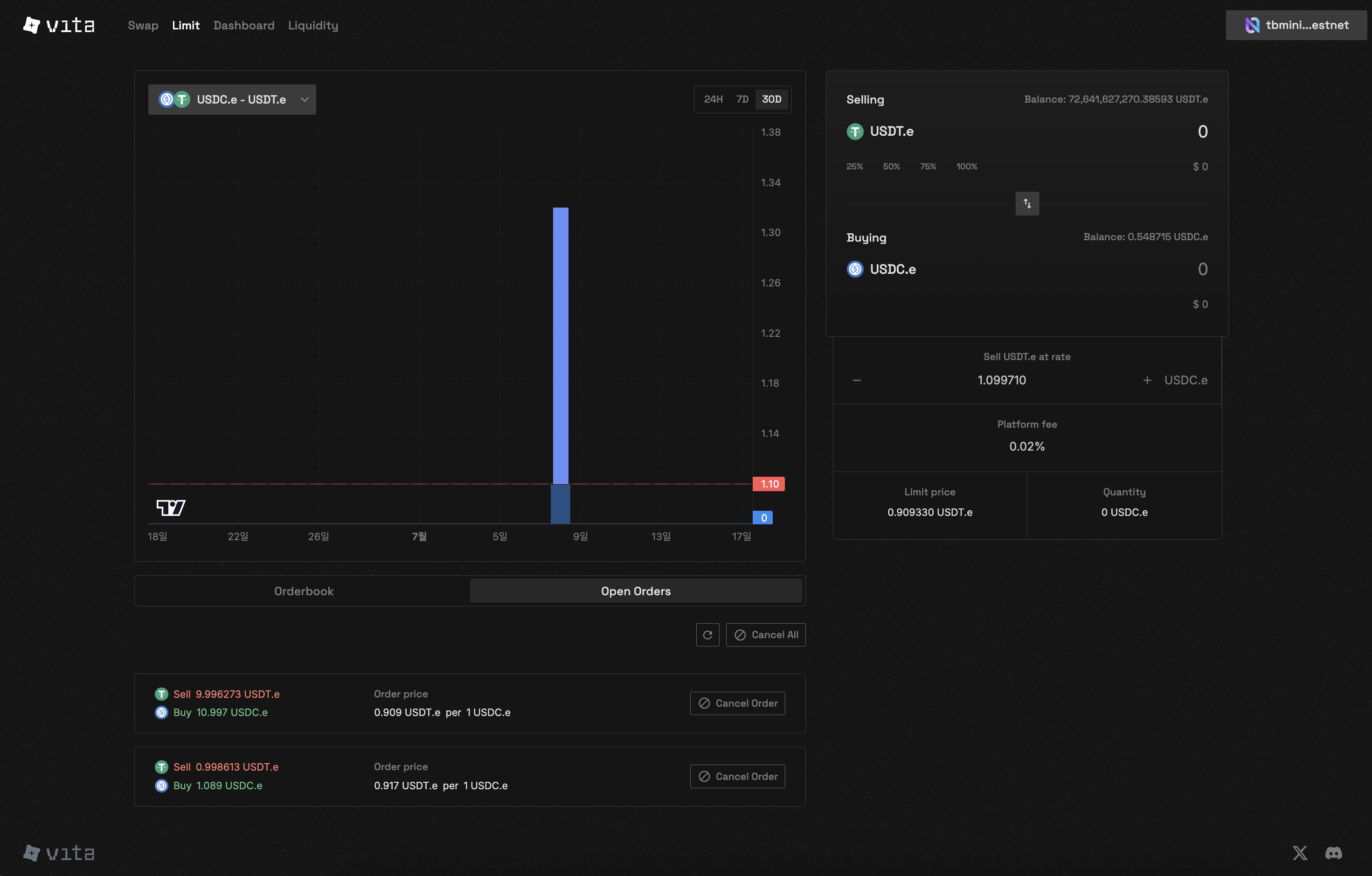
<Frame caption="CLOB trading interface showing order placement and execution">
  <img className="block dark:hidden" src="https://mintcdn.com/vita-29cb4832/0BX7ec2JKnkM5V86/images/screenshots/clob-trading-interface.png?fit=max&auto=format&n=0BX7ec2JKnkM5V86&q=85&s=f0346dae7000fa96e8386d1e70d51764" alt="CLOB Trading Interface" width="1634" height="1216" data-path="images/screenshots/clob-trading-interface.png" />

  <img className="hidden dark:block" src="https://mintcdn.com/vita-29cb4832/0BX7ec2JKnkM5V86/images/screenshots/clob-trading-interface.png?fit=max&auto=format&n=0BX7ec2JKnkM5V86&q=85&s=f0346dae7000fa96e8386d1e70d51764" alt="CLOB Trading Interface" width="1634" height="1216" data-path="images/screenshots/clob-trading-interface.png" />
</Frame>

## Order Execution Scenarios

### Market Order Execution

<Tabs>
  <Tab title="Buy Market Order">
    A market buy order for 100 NEAR would:

    1. Match with 75 NEAR at 5.05 USDC
    2. Match with 25 NEAR at 5.10 USDC
    3. Average execution price: \~5.06 USDC

    <Warning>
      Large market orders may experience significant price impact
    </Warning>
  </Tab>

  <Tab title="Sell Market Order">
    A market sell order for 150 NEAR would:

    1. Match with 100 NEAR at 5.00 USDC (older order first)
    2. Match with 50 NEAR at 5.00 USDC
    3. Execution price: 5.00 USDC (single price level)
  </Tab>
</Tabs>

### Limit Order Execution

<Card title="Crossing the Spread">
  When a limit order "crosses the spread" (buy above best ask or sell below best bid):

  * Executes immediately like a market order
  * But only up to the limit price
  * Remaining quantity joins the order book
</Card>

## Technical Implementation

### Order Book Structure

```rust theme={null}
// Orders stored in price-sorted tree structure
pub struct OrderTreeMap(pub TreeMap<u64, Vec<Order>>);

// Each price level contains orders in chronological order
Vec<Order> = [
  Order { timestamp: 1, amount: 100 },
  Order { timestamp: 2, amount: 50 },  // Executes after first order
  Order { timestamp: 3, amount: 75 }
]
```

### Matching Constraints

<CardGroup cols={2}>
  <Card title="Match Limit" icon="hand">
    Maximum 50 matches per order execution

    * Prevents excessive gas usage
    * Ensures fair processing
  </Card>

  <Card title="Self-Trade Prevention" icon="ban">
    Users cannot trade with their own orders

    * Maintains market integrity
    * Prevents wash trading
  </Card>
</CardGroup>

## Partial Fills

Orders may be partially filled when:

<AccordionGroup>
  <Accordion title="Insufficient Liquidity">
    Not enough counter-orders at your price:

    * Filled portion is executed
    * Remainder stays in order book
    * Order remains active until fully filled or cancelled
  </Accordion>

  <Accordion title="Match Limit Reached">
    Order matches with 50 counter-orders:

    * Execution pauses after 50 matches
    * Remaining quantity stays active
    * May fill in subsequent transactions
  </Accordion>

  <Accordion title="Price Movement">
    Market moves away from limit price:

    * Partial fill at original price
    * Rest waits for market to return
    * No slippage on filled portion
  </Accordion>
</AccordionGroup>

## Order Priority Examples

### Scenario 1: Same Price, Different Times

```
Buy Orders at 5.00 USDC:
1. 100 NEAR - Placed at 10:30:00 (executes first)
2. 150 NEAR - Placed at 10:30:30
3. 75 NEAR  - Placed at 10:31:00

New sell order for 120 NEAR at 5.00 USDC:
- First 100 NEAR matches with Order 1
- Remaining 20 NEAR matches with Order 2
```

### Scenario 2: Price Improvement

```
Current order book:
- Best bid: 4.95 USDC
- Best ask: 5.05 USDC

New limit buy at 5.10 USDC:
- Immediately matches with 5.05 ask
- Buyer gets better price (5.05 instead of 5.10)
- This is called "price improvement"
```

## Best Practices for Order Placement

<CardGroup cols={2}>
  <Card title="For Quick Execution" icon="bolt">
    * Use market orders
    * Place limit orders that cross the spread
    * Accept some price impact
  </Card>

  <Card title="For Better Prices" icon="bullseye">
    * Use limit orders
    * Place orders away from market
    * Be patient for execution
  </Card>

  <Card title="For Large Orders" icon="expand">
    * Split into smaller chunks
    * Use iceberg orders (if available)
    * Monitor market depth
  </Card>

  <Card title="For Volatility" icon="chart-line">
    * Widen your price range
    * Use shorter time horizons
    * Adjust orders frequently
  </Card>
</CardGroup>

## Advanced Concepts

### Order Book Imbalance

<Note>
  When one side of the order book is significantly larger:

  * Indicates market sentiment
  * May predict price movement
  * Opportunity for market makers
</Note>

### Hidden Liquidity

Some liquidity may not be visible:

* Orders beyond display depth
* Upcoming market orders
* Smart order routing

## Performance Metrics

<Card title="Matching Engine Specifications">
  * **Latency**: Near Protocol block time (\~1 second)
  * **Throughput**: Up to 50 matches per transaction
  * **Fairness**: Strict price-time priority
  * **Transparency**: All matches recorded on-chain
</Card>

## Troubleshooting

<AccordionGroup>
  <Accordion title="Why didn't my order execute?">
    Common reasons:

    * Price hasn't reached your limit
    * Orders ahead of yours in queue
    * Insufficient liquidity
    * Market moved away
  </Accordion>

  <Accordion title="Why was my order partially filled?">
    Possible causes:

    * Limited liquidity at your price
    * Match limit reached (50)
    * Counter-party orders filled by others
  </Accordion>

  <Accordion title="Why did I get a better price than expected?">
    Price improvement occurs when:

    * Your limit crosses the spread
    * Market moves in your favor
    * Always receive limit price or better
  </Accordion>
</AccordionGroup>

## Next Steps

<CardGroup cols={2}>
  <Card title="Place Orders" icon="plus" href="/clob/place-orders">
    Apply your knowledge to trading
  </Card>

  <Card title="Manage Orders" icon="list-check" href="/clob/manage-orders">
    Track your order execution
  </Card>
</CardGroup>