> ## Documentation Index
> Fetch the complete documentation index at: https://docs.vita.finance/llms.txt
> Use this file to discover all available pages before exploring further.
# CLOB Order Types
> Understanding limit and market orders in Vita CLOB
export const ConceptCard = ({concept, size = 'medium'}) => {
const concepts = {
'capital-efficiency': {
title: 'Capital Efficiency',
visual: '📊',
description: 'Concentrate liquidity where it matters most',
colorClass: 'text-green-600 dark:text-green-400',
bgColorClass: 'bg-green-600/10',
borderColorClass: 'border-green-600/30',
icon: '📊',
details: 'By providing liquidity only within a specific price range, your capital works harder and earns more fees per dollar invested.',
example: 'Example: Concentrated positions can be significantly more capital efficient than traditional AMMs.'
},
'impermanent-loss': {
title: 'Impermanent Loss',
visual: '±%',
description: 'Risk when price moves outside your range',
colorClass: 'text-amber-600 dark:text-amber-400',
bgColorClass: 'bg-amber-600/10',
borderColorClass: 'border-amber-600/30',
icon: '⚠️',
details: 'The temporary loss of funds that occurs when providing liquidity due to price divergence. Becomes permanent when you withdraw.',
example: 'Example: If ETH price doubles, you might have 5.7% less value than just holding.'
},
'fee-earnings': {
title: 'Fee Earnings',
visual: '0.30%',
description: 'Earn from every trade in your range',
colorClass: 'text-blue-600 dark:text-blue-400',
bgColorClass: 'bg-blue-600/10',
borderColorClass: 'border-blue-600/30',
icon: '💰',
details: 'Liquidity providers earn 35% of the 0.30% trading fee from all swaps that occur within their selected price range.',
example: 'Example: $1M daily volume = $3,000 fees, LPs get $1,050.'
},
'price-range': {
title: 'Price Range',
visual: '[$min, $max]',
description: 'Your active liquidity zone',
colorClass: 'text-[#fb8f5a]',
bgColorClass: 'bg-[#fb8f5a]/10',
borderColorClass: 'border-[#fb8f5a]/30',
icon: '🎯',
details: 'The upper and lower price boundaries where your liquidity is active. Narrower ranges mean higher concentration but more management.',
example: 'Example: NEAR at $5, range $4.50-$5.50 = ±10% coverage.'
},
'liquidity-depth': {
title: 'Liquidity Depth',
visual: '$TVL',
description: 'Total value locked in the pool',
colorClass: 'text-purple-400 dark:text-purple-300',
bgColorClass: 'bg-purple-400/10',
borderColorClass: 'border-purple-400/30',
icon: '🌊',
details: 'The total amount of tokens available for trading at each price level. Deeper liquidity means less slippage for traders.',
example: 'Example: $10M TVL = 0.3% slippage on $100k trades.'
},
'price-time-priority': {
title: 'Price-Time Priority',
visual: '1st → Last',
description: 'Fair order matching algorithm',
colorClass: 'text-[#fb8f5a]',
bgColorClass: 'bg-[#fb8f5a]/10',
borderColorClass: 'border-[#fb8f5a]/30',
icon: '⚡',
details: 'Best prices execute first, then earliest orders at the same price. This ensures fair and transparent order execution.',
example: 'Example: Buy at $5.00 placed first executes before buy at $5.00 placed later.'
}
};
const data = concepts[concept] || concepts['capital-efficiency'];
const sizeClasses = {
small: 'p-4',
medium: 'p-6',
large: 'p-8'
};
const visualSizes = {
small: 'text-2xl',
medium: 'text-3xl',
large: 'text-4xl'
};
const cardClasses = `
${sizeClasses[size]}
${data.bgColorClass}
${data.borderColorClass}
border-2
rounded-sm
transition-all
duration-300
flex
flex-col
justify-center
items-center
text-center
relative
overflow-hidden
`;
return
{}
{data.icon}
{}
{data.visual}
{}
{data.title}
{}
{data.description}
{}
{(size === 'large' || size === 'medium') &&
{data.details}
}
{}
{concept === 'capital-efficiency' &&
Efficiency vs Full Range
}
{concept === 'fee-earnings' &&
LPs: 35%Protocol: 65%
}
;
};
Vita CLOB supports two fundamental order types that cater to different trading strategies and needs.
Execute at your specified price or better
Execute immediately at best available price
## Limit Orders
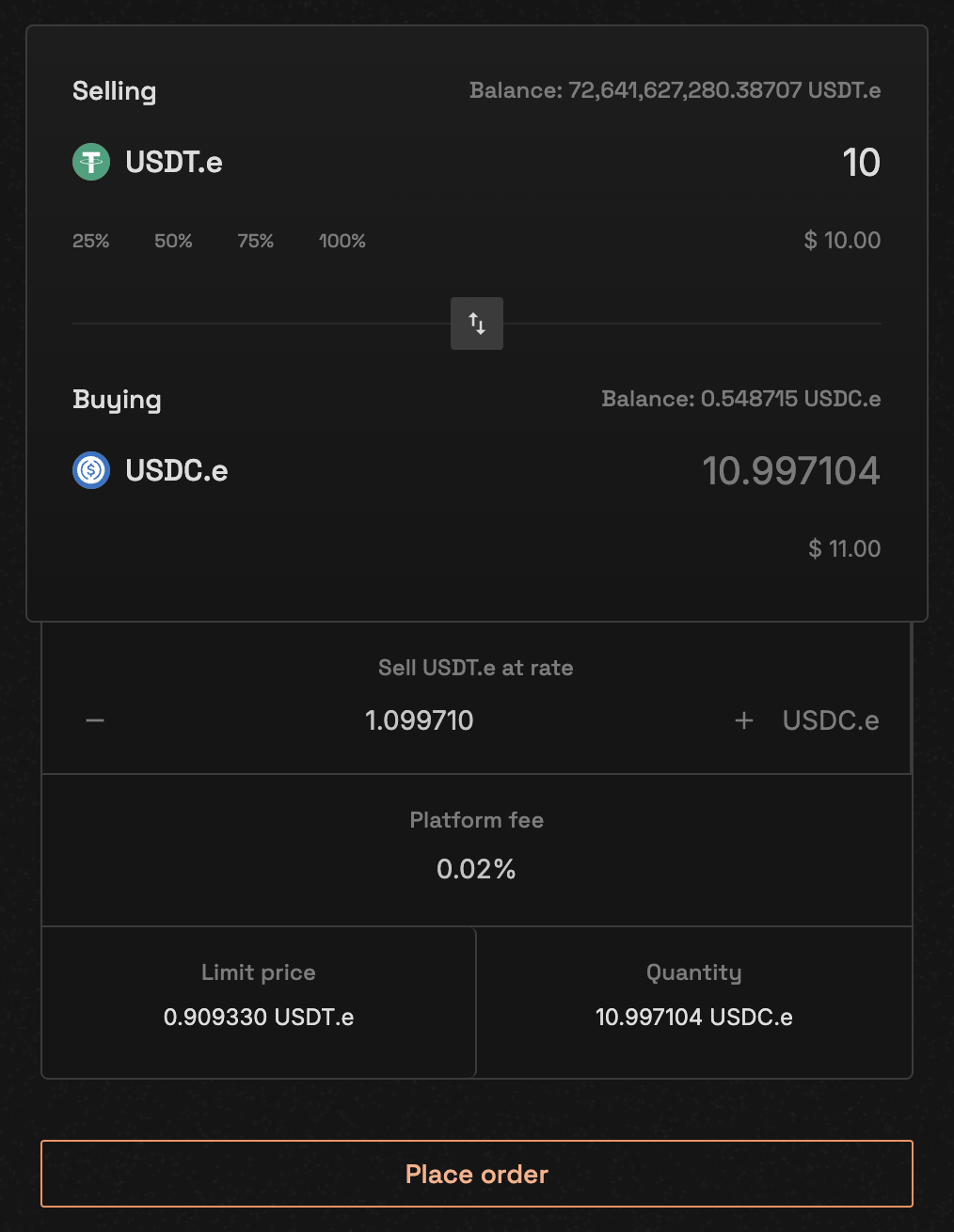
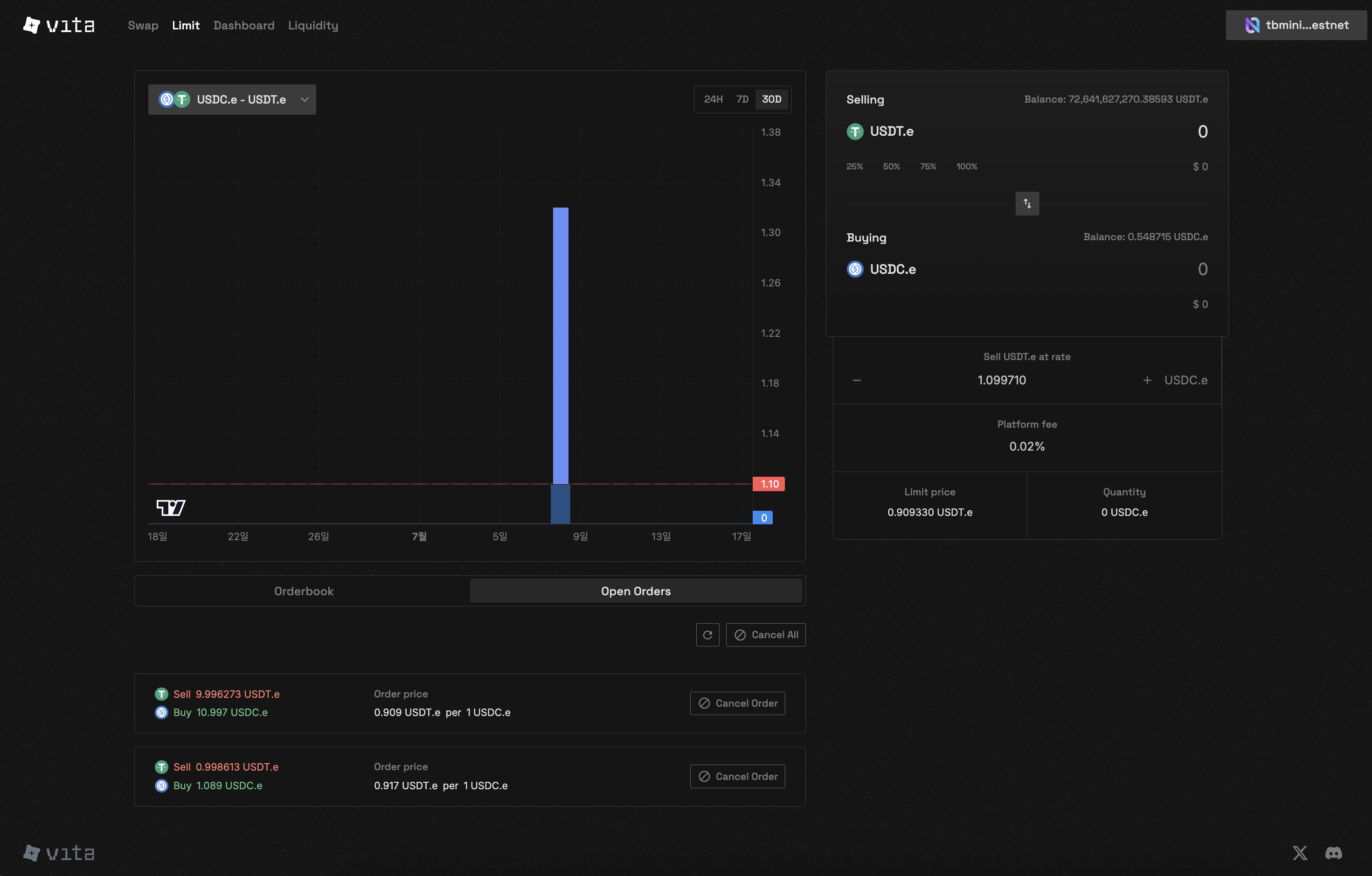
Limit orders allow you to specify the exact price at which you want to buy or sell tokens. These orders are added to the order book and wait for a matching order at your specified price.
### How Limit Orders Work
A buy limit order will only execute at or below your specified price.
**Example:**
* Current market price: 5.00 USDC
* Your limit price: 4.95 USDC
* Result: Order waits in order book until price drops to 4.95 or below
A sell limit order will only execute at or above your specified price.
**Example:**
* Current market price: 5.00 USDC
* Your limit price: 5.05 USDC
* Result: Order waits in order book until price rises to 5.05 or above
### Limit Order Structure
```rust theme={null}
// Order parameters for limit orders
{
market_id: u64, // Market identifier
price: U128, // Your specified price
quantity: U128, // Amount to trade
is_buy: bool, // true for buy, false for sell
match_limit: u32 // Maximum number of matches (default: 50)
}
```
### Benefits of Limit Orders
* **Price Control**: Trade only at your desired price
* **No Slippage**: Price is guaranteed if order executes
* **Partial Fills**: Orders can be partially filled over time
* **Order Book Visibility**: Your order becomes part of market liquidity
## Market Orders
Market orders execute immediately at the best available price in the order book. They provide certainty of execution but not certainty of price.
### How Market Orders Work
Specify only the quantity you want to trade - no price needed
System automatically matches with best available orders:
* Buy orders match with lowest asks
* Sell orders match with highest bids
Order executes immediately, potentially at multiple price levels
### Market Order Structure
```rust theme={null}
// Order parameters for market orders
{
market_id: u64, // Market identifier
quantity: U128, // Amount to trade
is_buy: bool, // true for buy, false for sell
match_limit: u32 // Maximum number of matches (default: 50)
}
```
### Benefits of Market Orders
* **Immediate Execution**: No waiting for price to reach your level
* **Simplicity**: Only need to specify quantity
* **Complete Fills**: Usually fills entire order amount
* **Time Priority**: Executes before any new limit orders
Market orders may experience price slippage in low liquidity conditions. Always check order book depth before placing large market orders.
## Order Matching Rules
### Price-Time Priority
Orders are matched according to strict price-time priority:
1. **Price Priority**: Best prices are matched first
* Highest bid matches with lowest ask
* Orders at better prices always execute before worse prices
2. **Time Priority**: For orders at the same price
* Earlier orders (by timestamp) execute first
* First-in, first-out (FIFO) within each price level
### Matching Constraints
Each order can match with a maximum of 50 counter-orders per execution to prevent excessive gas consumption
### Self-Trade Prevention
The system prevents users from trading with their own orders:
* Buy and sell orders from the same account cannot match
* Prevents wash trading and maintains market integrity
## Order Lifecycle
Order validated and added to order book (limit) or matched immediately (market)
System continuously matches compatible orders based on price-time priority
Orders may be partially filled if insufficient liquidity at desired price
Order removed from book when fully filled or cancelled
## Choosing Order Type
### Use Limit Orders When:
* You have a specific price target
* You're not in a rush to execute
* You want to avoid slippage
* You're providing liquidity to the market
### Use Market Orders When:
* You need immediate execution
* You're trading liquid pairs
* Small price differences don't matter
* You want to ensure your order fills
## Order Type Comparison
| Feature | Limit Order | Market Order |
| --------------------- | --------------- | --------------- |
| **Price Control** | ✓ Exact price | ✗ Market price |
| **Execution Speed** | May take time | Immediate |
| **Slippage** | None | Possible |
| **Partial Fills** | Common | Less common |
| **Order Book Impact** | Adds liquidity | Takes liquidity |
| **Best For** | Patient traders | Urgent trades |
## Next Steps
Learn how to place your first order
Track and manage your open orders