> ## Documentation Index
> Fetch the complete documentation index at: https://docs.vita.finance/llms.txt
> Use this file to discover all available pages before exploring further.

# How to Stake xVITA

> Earn rewards and governance power by staking VITA for xVITA

export const ExpectedReturnsCalculator = () => {
  const [liquidityValue, setLiquidityValue] = useState(5000);
  const [dailyVolume, setDailyVolume] = useState(10000000);
  const [poolTVL, setPoolTVL] = useState(50000000);
  const [priceChange, setPriceChange] = useState(10);
  const [daysToCalculate, setDaysToCalculate] = useState(7);
  const [isCalculating, setIsCalculating] = useState(false);
  const AMM_FEE_RATE = 0.003;
  const handleNumberInput = (value, setter, min = 0) => {
    const cleanValue = value.toString().replace(/^0+/, '') || '0';
    const numValue = Math.max(min, Number(cleanValue) || 0);
    setter(numValue);
  };
  const formatInputDisplay = value => {
    if (value === 0) return '0';
    return value.toLocaleString('en-US');
  };
  const handleLiquidityChange = e => {
    const rawValue = e.target.value.replace(/[^0-9]/g, '');
    if (rawValue === '') {
      setLiquidityValue(0);
      return;
    }
    handleNumberInput(rawValue, setLiquidityValue, 1);
  };
  const handlePoolTVLChange = e => {
    const rawValue = e.target.value.replace(/[^0-9]/g, '');
    if (rawValue === '') {
      setPoolTVL(0);
      return;
    }
    handleNumberInput(rawValue, setPoolTVL, 1);
  };
  const handleDailyVolumeChange = e => {
    const rawValue = e.target.value.replace(/[^0-9]/g, '');
    if (rawValue === '') {
      setDailyVolume(0);
      return;
    }
    handleNumberInput(rawValue, setDailyVolume, 0);
  };
  const handlePriceChangeInput = e => {
    const value = e.target.value.replace(/[^0-9.-]/g, '');
    const numValue = Number(value) || 0;
    setPriceChange(numValue);
  };
  const handleDaysInput = e => {
    const rawValue = e.target.value.replace(/[^0-9]/g, '');
    const value = Math.max(1, Math.min(365, Number(rawValue) || 1));
    setDaysToCalculate(value);
  };
  const calculations = useMemo(() => {
    setIsCalculating(true);
    const userShare = liquidityValue / poolTVL;
    const dailyTotalFees = dailyVolume * AMM_FEE_RATE;
    const userDailyFees = dailyTotalFees * userShare;
    const periodFees = userDailyFees * daysToCalculate;
    const feeAPR = periodFees / liquidityValue * (365 / daysToCalculate) * 100;
    const priceRatio = 1 + priceChange / 100;
    const impermanentLoss = priceChange === 0 ? 0 : (2 * Math.sqrt(priceRatio) / (1 + priceRatio) - 1) * 100;
    const grossReturns = periodFees;
    const ilValue = Math.abs(impermanentLoss) * liquidityValue / 100;
    const netReturns = grossReturns - (impermanentLoss < 0 ? ilValue : 0);
    const netAPR = feeAPR + impermanentLoss;
    const estimatedGasCost = 0.05;
    setIsCalculating(false);
    return {
      userShare: userShare * 100,
      userDailyFees,
      periodFees,
      feeAPR,
      impermanentLoss,
      ilValue,
      grossReturns,
      netReturns,
      netAPR,
      estimatedGasCost,
      breakEvenDays: userDailyFees > 0 ? estimatedGasCost / userDailyFees : Infinity
    };
  }, [liquidityValue, dailyVolume, poolTVL, priceChange, daysToCalculate]);
  const formatCurrency = value => {
    if (window.VitaUtils?.format?.number) {
      return `$${window.VitaUtils.format.number(value, 2)}`;
    }
    return new Intl.NumberFormat('en-US', {
      style: 'currency',
      currency: 'USD',
      minimumFractionDigits: 2,
      maximumFractionDigits: 2
    }).format(value);
  };
  const formatPercentage = value => {
    if (window.VitaUtils?.format?.percentage) {
      return window.VitaUtils.format.percentage(value);
    }
    return `${value >= 0 ? '+' : ''}${value.toFixed(2)}%`;
  };
  const formatNumber = (value, decimals = 2) => {
    if (window.VitaUtils?.format?.number) {
      return window.VitaUtils.format.number(value, decimals);
    }
    return new Intl.NumberFormat('en-US', {
      minimumFractionDigits: decimals,
      maximumFractionDigits: decimals
    }).format(value);
  };
  useEffect(() => {
    if (window.VitaUtils?.animate?.countUp) {
      const elements = document.querySelectorAll('.animate-on-change');
      elements.forEach(el => {
        const value = parseFloat(el.getAttribute('data-value'));
        if (!isNaN(value)) {
          window.VitaUtils.animate.countUp(el, value, 600);
        }
      });
    }
  }, [calculations]);
  return <div className="bg-white dark:bg-gray-800 border border-gray-200 dark:border-gray-700 p-6 rounded-sm">
      {}
      <h3 className="text-xl font-bold mb-4 text-gray-900 dark:text-white">
        Expected Returns Calculator
      </h3>
      
      {}
      <div className="grid grid-cols-1 md:grid-cols-2 gap-4 mb-6">
        <div>
          <label htmlFor="liquidity-value" className="block text-sm font-medium mb-2 text-gray-600 dark:text-gray-400">
            Your Liquidity (USD)
          </label>
          <input id="liquidity-value" type="text" value={formatInputDisplay(liquidityValue)} onChange={handleLiquidityChange} aria-label="Your Liquidity Value in USD" className="w-full px-3 py-2 rounded-sm bg-gray-50 dark:bg-gray-900 border border-gray-300 dark:border-gray-600 text-gray-900 dark:text-white focus:border-[#fb8f5a] focus:outline-none focus:ring-2 focus:ring-[#fb8f5a]/20" />
        </div>

        <div>
          <label htmlFor="pool-tvl" className="block text-sm font-medium mb-2 text-gray-600 dark:text-gray-400">
            Pool TVL (USD)
          </label>
          <input id="pool-tvl" type="text" value={formatInputDisplay(poolTVL)} onChange={handlePoolTVLChange} aria-label="Pool Total Value Locked in USD" className="w-full px-3 py-2 rounded-sm bg-gray-50 dark:bg-gray-900 border border-gray-300 dark:border-gray-600 text-gray-900 dark:text-white focus:border-[#fb8f5a] focus:outline-none focus:ring-2 focus:ring-[#fb8f5a]/20" />
        </div>

        <div>
          <label htmlFor="daily-volume" className="block text-sm font-medium mb-2 text-gray-600 dark:text-gray-400">
            Daily Volume (USD)
          </label>
          <input id="daily-volume" type="text" value={formatInputDisplay(dailyVolume)} onChange={handleDailyVolumeChange} aria-label="Daily Trading Volume in USD" className="w-full px-3 py-2 rounded-sm bg-gray-50 dark:bg-gray-900 border border-gray-300 dark:border-gray-600 text-gray-900 dark:text-white focus:border-[#fb8f5a] focus:outline-none focus:ring-2 focus:ring-[#fb8f5a]/20" />
        </div>

        <div>
          <label className="block text-sm font-medium mb-2 text-gray-600 dark:text-gray-400">
            AMM Fee Rate
          </label>
          <div className="bg-gray-50 dark:bg-gray-900 px-3 py-2 rounded-sm" role="status" aria-live="polite">
            <span className="font-mono font-bold text-blue-600 dark:text-blue-400">0.30%</span>
            <span className="text-xs text-gray-500 dark:text-gray-500 ml-2">(Fixed)</span>
          </div>
        </div>

        <div>
          <label htmlFor="price-change" className="block text-sm font-medium mb-2 text-gray-600 dark:text-gray-400">
            Expected Price Change (%)
          </label>
          <input id="price-change" type="text" value={priceChange} onChange={handlePriceChangeInput} step="1" aria-label="Expected Price Change Percentage" className="w-full px-3 py-2 rounded-sm bg-gray-50 dark:bg-gray-900 border border-gray-300 dark:border-gray-600 text-gray-900 dark:text-white focus:border-[#fb8f5a] focus:outline-none focus:ring-2 focus:ring-[#fb8f5a]/20" />
        </div>

        <div>
          <label htmlFor="days-calculate" className="block text-sm font-medium mb-2 text-gray-600 dark:text-gray-400">
            Calculation Period (days)
          </label>
          <input id="days-calculate" type="text" value={daysToCalculate} onChange={handleDaysInput} min="1" max="365" aria-label="Calculation Period in Days" className="w-full px-3 py-2 rounded-sm bg-gray-50 dark:bg-gray-900 border border-gray-300 dark:border-gray-600 text-gray-900 dark:text-white focus:border-[#fb8f5a] focus:outline-none focus:ring-2 focus:ring-[#fb8f5a]/20" />
        </div>
      </div>

      {}
      <div className="space-y-4" role="region" aria-label="Calculation Results">
        {}
        <div className="bg-blue-500/10 border border-blue-500/30 p-4 rounded-sm">
          <div className="flex justify-between items-center">
            <span className="font-medium text-gray-900 dark:text-white">Your Pool Share:</span>
            <span className="font-mono text-lg font-bold text-blue-600 dark:text-blue-400">
              {isCalculating ? '...' : calculations.userShare.toFixed(4)}%
            </span>
          </div>
        </div>

        {}
        <div className="bg-white dark:bg-gray-800 border border-gray-200 dark:border-gray-700 p-4 rounded-sm">
          {}
          <h4 className="font-semibold mb-3 text-green-600 dark:text-green-400">
            Fee Earnings
          </h4>
          <div className="space-y-2">
            <div className="flex justify-between text-gray-700 dark:text-gray-300">
              <span>Daily Fees:</span>
              <span className="font-mono">{formatCurrency(calculations.userDailyFees)}</span>
            </div>
            <div className="flex justify-between text-gray-700 dark:text-gray-300">
              <span>{daysToCalculate}-Day Fees:</span>
              <span className="font-mono font-bold">{formatCurrency(calculations.periodFees)}</span>
            </div>
            <div className="flex justify-between pt-2 border-t border-gray-200 dark:border-gray-700">
              <span className="text-gray-700 dark:text-gray-300">Fee APR:</span>
              <span className="font-mono font-bold text-green-600 dark:text-green-400">
                {formatPercentage(calculations.feeAPR)}
              </span>
            </div>
          </div>
        </div>

        {}
        <div className="bg-white dark:bg-gray-800 border border-gray-200 dark:border-gray-700 p-4 rounded-sm">
          {}
          <h4 className="font-semibold mb-3 text-amber-600 dark:text-amber-400">
            Impermanent Loss (Estimated)*
          </h4>
          <div className="space-y-2">
            <div className="flex justify-between text-gray-700 dark:text-gray-300">
              <span>IL Percentage:</span>
              <span className={`font-mono font-bold ${calculations.impermanentLoss < 0 ? 'text-red-600 dark:text-red-400' : 'text-gray-500 dark:text-gray-400'}`}>
                {formatPercentage(calculations.impermanentLoss)}
              </span>
            </div>
            <div className="flex justify-between text-gray-700 dark:text-gray-300">
              <span>IL Value:</span>
              <span className="font-mono">
                {calculations.impermanentLoss < 0 ? '-' : ''}{formatCurrency(calculations.ilValue)}
              </span>
            </div>
          </div>
          <p className="text-xs text-gray-500 dark:text-gray-500 mt-2">
            * Simplified estimation based on price ratio changes
          </p>
        </div>

        {}
        <div className="bg-gradient-to-r from-[#fb8f5a] to-[#ffaf85] p-4 rounded-sm text-white">
          {}
          <h4 className="font-semibold mb-3">
            Net Returns Summary
          </h4>
          <div className="space-y-2">
            <div className="flex justify-between">
              <span>Gross Returns ({daysToCalculate} days):</span>
              <span className="font-mono">{formatCurrency(calculations.grossReturns)}</span>
            </div>
            <div className="flex justify-between">
              <span>After IL:</span>
              <span className={`font-mono font-bold ${calculations.netReturns >= 0 ? '' : 'text-red-200'}`}>
                {formatCurrency(calculations.netReturns)}
              </span>
            </div>
            <div className="flex justify-between pt-2 border-t border-white/30">
              <span>Net APR:</span>
              <span className={`font-mono text-lg font-bold ${calculations.netAPR >= 0 ? '' : 'text-red-200'}`}>
                {formatPercentage(calculations.netAPR)}
              </span>
            </div>
          </div>
        </div>

        {}
        <div className="bg-gray-50 dark:bg-gray-900 p-4 rounded-sm text-sm">
          {}
          <h5 className="font-semibold mb-2 text-gray-900 dark:text-white">
            Additional Considerations
          </h5>
          <div className="space-y-1 text-gray-600 dark:text-gray-400">
            <div className="flex justify-between">
              <span>Estimated Gas Cost (NEAR):</span>
              <span className="font-mono">{calculations.estimatedGasCost} NEAR</span>
            </div>
            <div className="flex justify-between">
              <span>Break-even Time:</span>
              <span className="font-mono">
                {calculations.breakEvenDays === Infinity ? 'N/A' : `${calculations.breakEvenDays.toFixed(1)} days`}
              </span>
            </div>
          </div>
        </div>

        <div className="text-xs text-gray-500 dark:text-gray-500">
          <p><strong>Formula:</strong> APR = (user_fees / user_liquidity) × 100 × (365 / days)</p>
          <p>• Trading fee: <span className="font-mono">0.30%</span> fixed for all AMM trades</p>
          <p>• LPs receive 100% of trading fees proportional to their pool share</p>
          <p>• Gas estimates: ~<span className="font-mono">21 milliNEAR</span> for pool mint operations</p>
        </div>
      </div>
    </div>;
};

## Unlock the Power of xVITA

Staking VITA transforms your tokens into xVITA, unlocking governance rights, protocol revenue sharing, and enhanced rewards. Join the community of long-term aligned participants building the future of DeFi on NEAR Protocol.

## Prerequisites

<Warning>
  **Before you begin staking, ensure you have:**

  * A NEAR-compatible wallet connected (supports 23 different wallets)
  * VITA tokens in your wallet (18 decimals)
  * Small amount of NEAR for gas fees (\~0.1 NEAR)
  * Understanding of the [xVITA system](/concepts/xvita-staking)

  Vita doesn't currently have an SDK. Use the web interface or direct contract calls.
</Warning>

## Step-by-Step Staking Guide

<Steps>
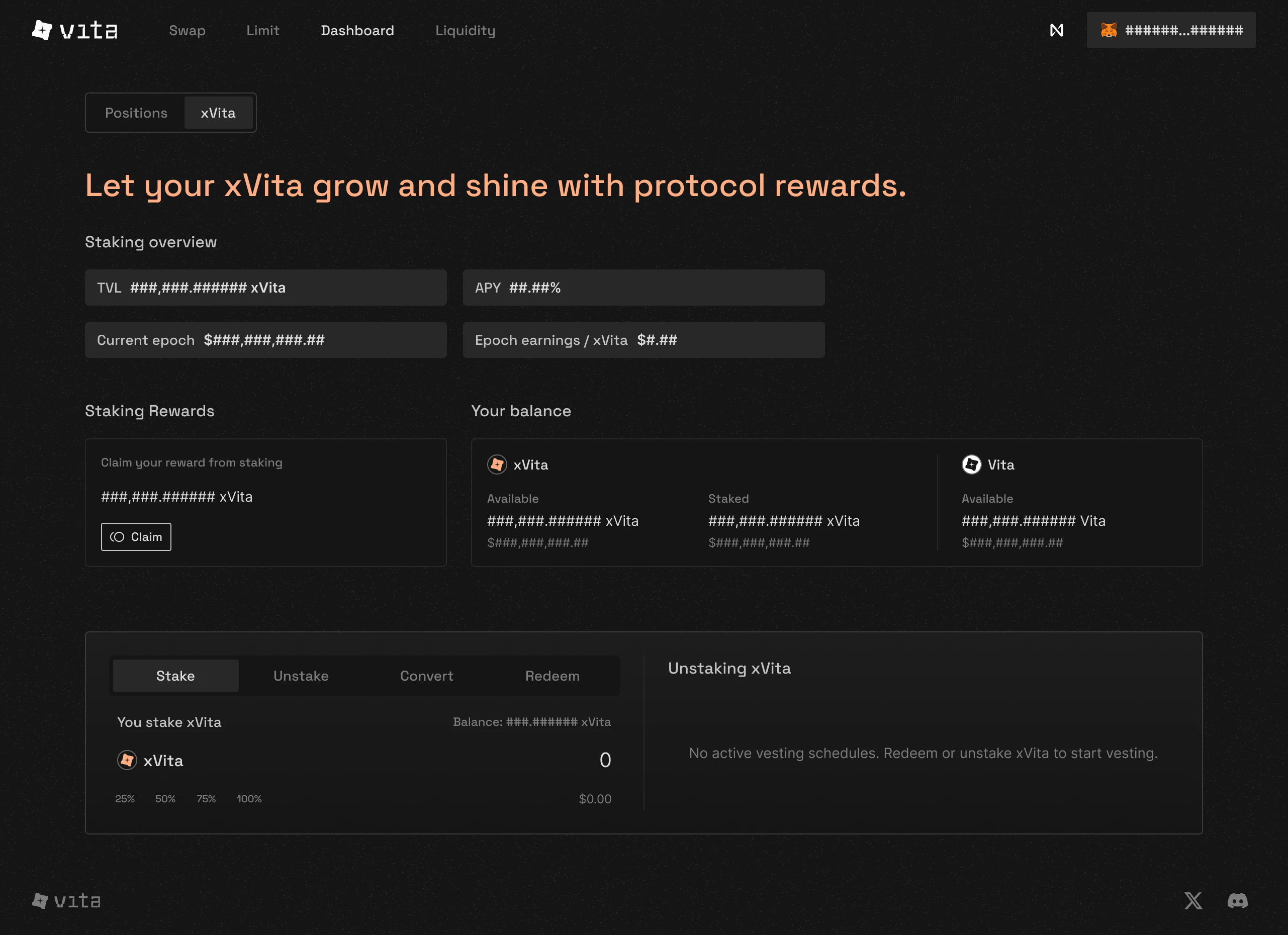
  <Step title="Navigate to Staking">
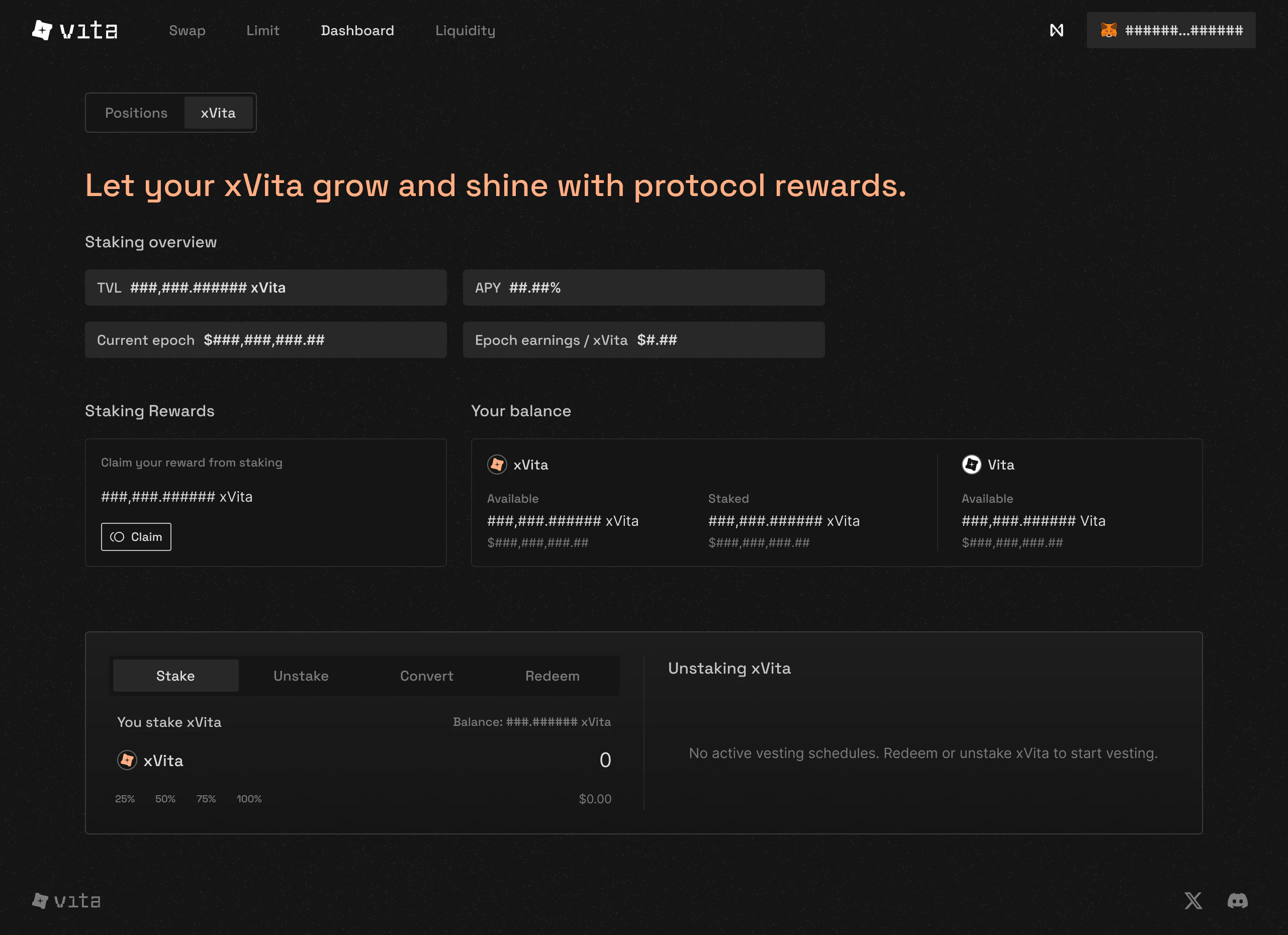
    Navigate to the staking interface and access the **xVITA** section

    <Frame>
      <img className="block dark:hidden" src="https://mintcdn.com/vita-29cb4832/0BX7ec2JKnkM5V86/images/screenshots/dashboard-xvita-tab.png?fit=max&auto=format&n=0BX7ec2JKnkM5V86&q=85&s=314dbd287f1797ed0ef9045784153500" alt="xVITA staking overview" width="2562" height="1860" data-path="images/screenshots/dashboard-xvita-tab.png" />

      <img className="hidden dark:block" src="https://mintcdn.com/vita-29cb4832/0BX7ec2JKnkM5V86/images/screenshots/dashboard-xvita-tab.png?fit=max&auto=format&n=0BX7ec2JKnkM5V86&q=85&s=314dbd287f1797ed0ef9045784153500" alt="xVITA staking overview" width="2562" height="1860" data-path="images/screenshots/dashboard-xvita-tab.png" />
    </Frame>
  </Step>

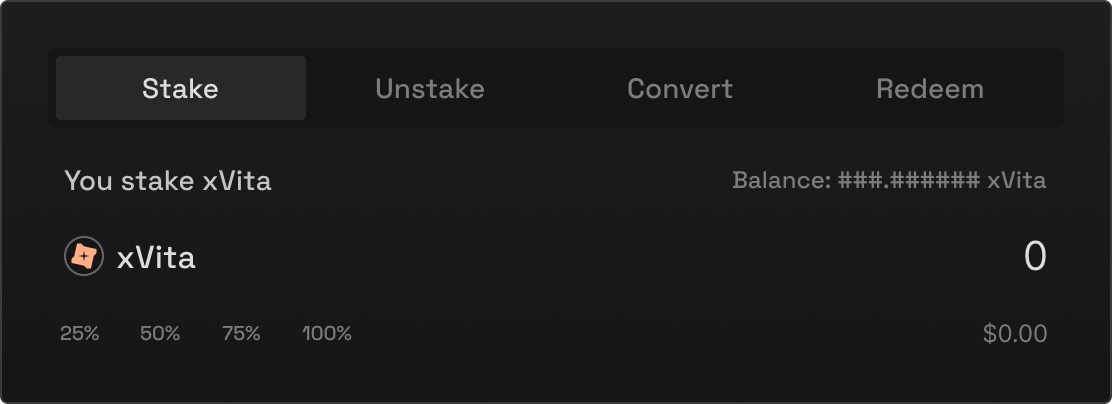
  <Step title="Select Stake Action">
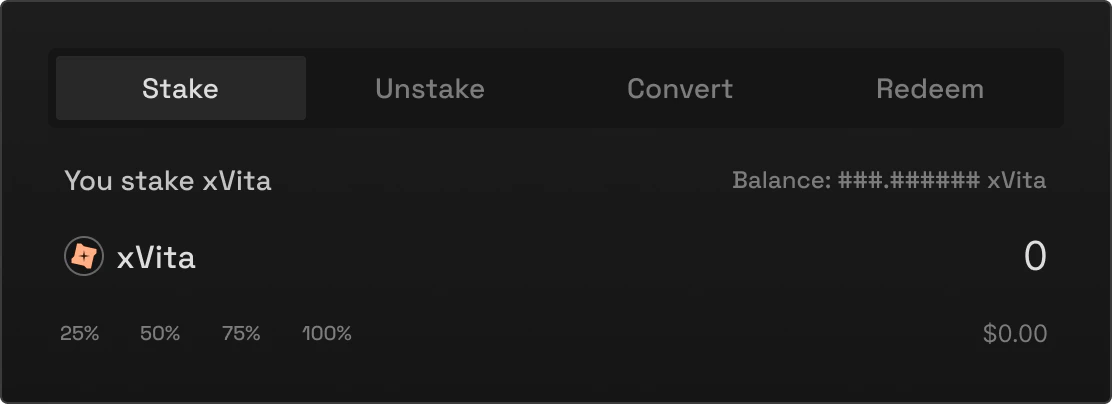
    In the action panel, make sure **Stake** is selected

    <Frame>
      <img className="block dark:hidden" src="https://mintcdn.com/vita-29cb4832/0BX7ec2JKnkM5V86/images/screenshots/stake-action-tabs.png?fit=max&auto=format&n=0BX7ec2JKnkM5V86&q=85&s=3fa56a3e01486990c8663eeecd4881b6" alt="Stake tab interface" width="1112" height="404" data-path="images/screenshots/stake-action-tabs.png" />

      <img className="hidden dark:block" src="https://mintcdn.com/vita-29cb4832/0BX7ec2JKnkM5V86/images/screenshots/stake-action-tabs.png?fit=max&auto=format&n=0BX7ec2JKnkM5V86&q=85&s=3fa56a3e01486990c8663eeecd4881b6" alt="Stake tab interface" width="1112" height="404" data-path="images/screenshots/stake-action-tabs.png" />
    </Frame>
  </Step>

  <Step title="Enter VITA Amount">
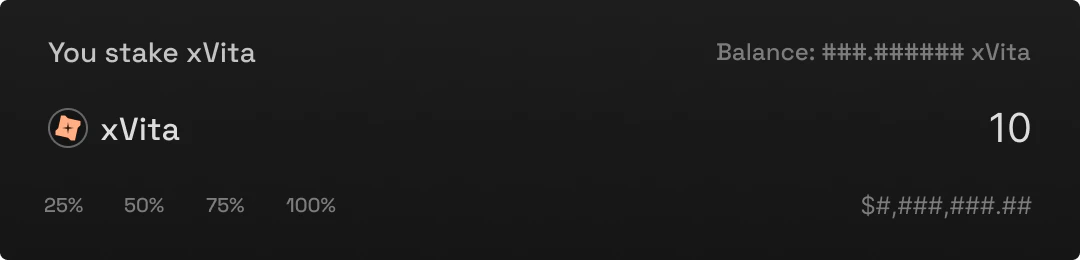
    Input the amount of VITA you want to stake

    <Frame>
      <img className="block dark:hidden" src="https://mintcdn.com/vita-29cb4832/0BX7ec2JKnkM5V86/images/screenshots/stake-amount-input.png?fit=max&auto=format&n=0BX7ec2JKnkM5V86&q=85&s=9e6c7b6fa387e33f48af2f531131d0c3" alt="Stake interface with amount entered" width="1080" height="260" data-path="images/screenshots/stake-amount-input.png" />

      <img className="hidden dark:block" src="https://mintcdn.com/vita-29cb4832/0BX7ec2JKnkM5V86/images/screenshots/stake-amount-input.png?fit=max&auto=format&n=0BX7ec2JKnkM5V86&q=85&s=9e6c7b6fa387e33f48af2f531131d0c3" alt="Stake interface with amount entered" width="1080" height="260" data-path="images/screenshots/stake-amount-input.png" />
    </Frame>

    <Note>
      You'll receive the same amount of xVITA (1:1 ratio). For example, staking 1,000 VITA gives you 1,000 xVITA.
    </Note>
  </Step>

  <Step title="Confirm Transaction">
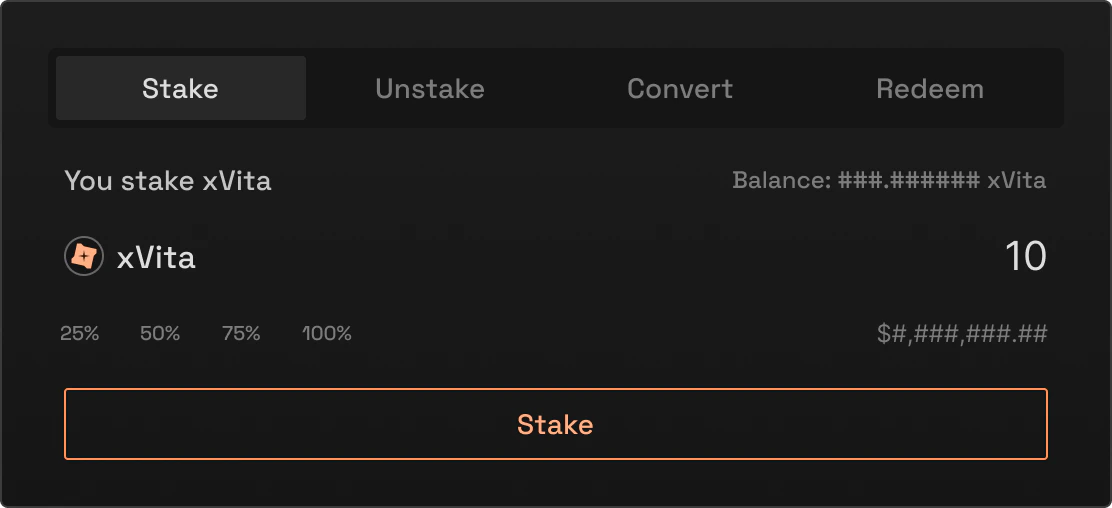
    Review the details and click **Stake VITA**

    <Frame>
      <img className="block dark:hidden" src="https://mintcdn.com/vita-29cb4832/0BX7ec2JKnkM5V86/images/screenshots/stake-confirm.png?fit=max&auto=format&n=0BX7ec2JKnkM5V86&q=85&s=dc652a07b2f1362a1d5826810f6c67d7" alt="Active stake button" width="1112" height="508" data-path="images/screenshots/stake-confirm.png" />

      <img className="hidden dark:block" src="https://mintcdn.com/vita-29cb4832/0BX7ec2JKnkM5V86/images/screenshots/stake-confirm.png?fit=max&auto=format&n=0BX7ec2JKnkM5V86&q=85&s=dc652a07b2f1362a1d5826810f6c67d7" alt="Active stake button" width="1112" height="508" data-path="images/screenshots/stake-confirm.png" />
    </Frame>

    Your wallet will prompt you to approve the transaction.
  </Step>

  <Step title="Receive xVITA">
    Once confirmed, you'll instantly receive xVITA in your wallet

    <Check>
      **✓ Staking Complete!**
      You now hold xVITA and will earn rewards once the protocol launches
    </Check>
  </Step>
</Steps>

## Staking Rewards Interface

<Frame caption="Claim your accumulated rewards directly from the interface">
  <img className="block dark:hidden" src="https://mintcdn.com/vita-29cb4832/0BX7ec2JKnkM5V86/images/screenshots/staking-dashboard.png?fit=max&auto=format&n=0BX7ec2JKnkM5V86&q=85&s=70f908087aa4a1a4a2504edf9c35ef6d" alt="Staking rewards claim interface" width="1112" height="404" data-path="images/screenshots/staking-dashboard.png" />

  <img className="hidden dark:block" src="https://mintcdn.com/vita-29cb4832/0BX7ec2JKnkM5V86/images/screenshots/staking-dashboard.png?fit=max&auto=format&n=0BX7ec2JKnkM5V86&q=85&s=70f908087aa4a1a4a2504edf9c35ef6d" alt="Staking rewards claim interface" width="1112" height="404" data-path="images/screenshots/staking-dashboard.png" />
</Frame>

Once rewards accumulate, you can claim them directly from the staking interface.

## Expected Returns Calculator
<ExpectedReturnsCalculator />

## Staking via Command Line

For developers and power users, you can also stake using NEAR CLI:

<CodeGroup>
  ```bash NEAR CLI theme={null}
  # Convert VITA to xVITA using ft_transfer_call
  near call [TBD] ft_transfer_call \
    '{"receiver_id": "[TBD]", "amount": "1000000000000000000000", "msg": "{\"convert\": {}}"}' \
    --accountId your-wallet.near \
    --amount 0.000000000000000000000001 \
    --gas 100000000000000

  # Check your xVITA balance (18 decimals)
  near view [TBD] ft_balance_of \
    '{"account_id": "your-wallet.near"}'
  ```

  ```javascript Near-API-JS theme={null}
  // Using Near-API-JS (no SDK available)
  const { connect, Contract, keyStores } = require("near-api-js");

  // Setup
  const near = await connect({
    networkId: "mainnet",
    keyStore: new keyStores.BrowserLocalStorageKeyStore(),
    nodeUrl: "https://rpc.mainnet.near.org"
  });

  const account = await near.account("your-wallet.near");

  // Create contract instances
  const vitaContract = new Contract(
    account,
    "[TBD]", // VITA token contract
    {
      changeMethods: ["ft_transfer_call"],
    }
  );

  // Convert VITA to xVITA
  await vitaContract.ft_transfer_call({
    receiver_id: "[TBD]", // xVITA token contract
    amount: "1000000000000000000000", // 1000 VITA (18 decimals)
    msg: JSON.stringify({ convert: {} })
  }, "100000000000000", "1"); // gas, attached deposit
  ```
</CodeGroup>

## Understanding Your Rewards

### Session-Based Distribution

#### How Rewards Accumulate

<CardGroup cols={3}>
  <Card title="1. Stake xVITA" icon="coins">
    Start earning immediately when protocol launches
  </Card>

  <Card title="2. Hold for Session" icon="clock">
    7-day earning period
  </Card>

  <Card title="3. Claim Rewards" icon="gift">
    80% xVITA + 20% VITA
  </Card>
</CardGroup>

### Reward Sources

<Tabs>
  <Tab title="Trading Fee Share">
    #### Protocol Revenue Sharing

    Trading fees from AMM flow through protocol and community vaults to reward xVITA stakers.

    <Note>
      AMM fees contribute to xVITA staker rewards through the protocol's fee distribution system.
    </Note>
  </Tab>

  <Tab title="Session Rewards">
    #### Weekly xVITA Distribution

    Additional rewards distributed based on time-weighted staking.

    <Info>
      The 80% xVITA rewards compound automatically!
    </Info>
  </Tab>

  <Tab title="Boost Mechanics">
    #### Advanced Boosting System

    Boost your farming rewards with xVITA:

    * Sigmoid curve
    * **1.0x to 2.5x** boost range

    <Note>
      Maximum boost: **2.5x**
    </Note>
  </Tab>
</Tabs>

## Managing Your Stake

### Check Your Staking Information

<CodeGroup>
  ```bash Get Staking Info theme={null}
  # Get comprehensive staking info
  near view [TBD] get_user_staking_info \
    '{"account_id": "your-wallet.near"}'
  ```

  ```bash Check Balances theme={null}
  # Check VITA balance (18 decimals)
  near view [TBD] ft_balance_of \
    '{"account_id": "your-wallet.near"}'

  # Check xVITA balance (18 decimals)
  near view [TBD] ft_balance_of \
    '{"account_id": "your-wallet.near"}'
  ```

  ```bash Pending Unstakes theme={null}
  # Check pending unstakes
  near view [TBD] get_pending_vested_unstakes \
    '{"account_id": "your-wallet.near"}'
  ```
</CodeGroup>

## Unstaking Options

<Frame caption="Choose your unstaking method">
  <img className="block dark:hidden" src="https://mintcdn.com/vita-29cb4832/0BX7ec2JKnkM5V86/images/screenshots/dashboard-xvita.png?fit=max&auto=format&n=0BX7ec2JKnkM5V86&q=85&s=5137ab25811b51488a19b9412323b6d2" alt="Unstaking xVITA interface" width="2562" height="1860" data-path="images/screenshots/dashboard-xvita.png" />

  <img className="hidden dark:block" src="https://mintcdn.com/vita-29cb4832/0BX7ec2JKnkM5V86/images/screenshots/dashboard-xvita.png?fit=max&auto=format&n=0BX7ec2JKnkM5V86&q=85&s=5137ab25811b51488a19b9412323b6d2" alt="Unstaking xVITA interface" width="2562" height="1860" data-path="images/screenshots/dashboard-xvita.png" />
</Frame>

<AccordionGroup>
  <Accordion title="Standard Unstaking (15-day cooldown)" icon="clock">
    #### Process

    ```bash theme={null}
    # Request unstaking
    near call [TBD] request_unstake \
      '{"amount": "1000000000000000000000"}' \
      --accountId your-wallet.near

    # After 15 days, withdraw
    near call [TBD] withdraw_unstaked \
      '{}' \
      --accountId your-wallet.near
    ```

    <Warning>
      During the 15-day cooldown, your xVITA doesn't earn rewards!
    </Warning>

    #### Benefits

    * 100% of your xVITA returned
    * No penalties
    * Can cancel before completion
  </Accordion>

  <Accordion title="Instant Redemption (with vesting)" icon="zap">
    #### Flexible Vesting Options

    Choose your redemption timeline:

    ```bash theme={null}
    # Redeem with 90-day vesting
    near call [TBD] redeem \
      '{"amount": "1000000000000000000000", "period_days": 90}' \
      --accountId your-wallet.near
    ```

    | Period      | Return          |
    | ----------- | --------------- |
    | 15 days     | 50% return      |
    | 15-180 days | Linear increase |
    | 180 days    | 100% return     |

    <Note>
      Formula: `50% + (days - 15) / 165 × 50%`
    </Note>
  </Accordion>
</AccordionGroup>

## Maximizing Your Returns

<Tabs>
  <Tab title="Compound Strategy">
    #### Let Your Rewards Work

    Since 80% of rewards are paid in xVITA:

    * ✓ Rewards compound automatically
    * ✓ No action needed for growth
    * ✓ Time in market beats timing the market
  </Tab>

  <Tab title="Active Management">
    #### Optimize Your Position

    <CardGroup cols={2}>
      <Card title="Claim & Reinvest" icon="refresh">
        Convert 20% VITA rewards back to xVITA
      </Card>

      <Card title="Ladder Redemptions" icon="layers">
        Split holdings across multiple vesting periods
      </Card>

      <Card title="Boost Optimization" icon="gauge">
        Maximize your boost share
      </Card>

      <Card title="Farming Positions" icon="sprout">
        Combine staking with LP farming
      </Card>
    </CardGroup>
  </Tab>
</Tabs>

## Governance Rights

<CardGroup cols={3}>
  <Card title="1:1" icon="check-to-slot">
    Voting Power
  </Card>

  <Card title="10K" icon="gavel">
    Proposal Threshold
  </Card>

  <Card title="4%" icon="users">
    Quorum Requirement
  </Card>
</CardGroup>

## Supported Wallets

Vita supports 23 wallet options including:

* NEAR Wallet
* Meteor
* Sender
* MetaMask
* Ledger
* And 18 more...

<Tip>
  Full wallet compatibility ensures maximum accessibility for all users.
</Tip>

## Common Questions

<AccordionGroup>
  <Accordion title="Is there a minimum stake amount?">
    No minimum amount, but consider gas costs. We recommend at least 100 VITA for efficiency.
  </Accordion>

  <Accordion title="Can I stake and unstake anytime?">
    Yes! You can stake instantly anytime. Unstaking requires either a 15-day cooldown or accepting a redemption penalty for faster access.
  </Accordion>

  <Accordion title="What happens to unclaimed rewards?">
    Rewards accumulate and can be claimed anytime. They don't expire, but only staked xVITA continues earning new rewards.
  </Accordion>

  <Accordion title="How are VITA/xVITA decimals handled?">
    Both VITA and xVITA use 18 decimals precision, not 24 like NEAR. Make sure to use the correct decimal places in your calculations.
  </Accordion>
</AccordionGroup>

## Next Steps

<CardGroup cols={3}>
  <Card title="Staking Guide" icon="chart-line" href="/concepts/xvita-staking">
    Monitor your portfolio performance
  </Card>

  <Card title="Trading" icon="right-left" href="/guides/swap-tokens">
    Start trading on Vita DEX
  </Card>

  <Card title="Provide Liquidity" icon="droplet" href="/guides/provide-liquidity">
    Earn fees by providing liquidity
  </Card>
</CardGroup>
