> ## Documentation Index
> Fetch the complete documentation index at: https://docs.vita.finance/llms.txt
> Use this file to discover all available pages before exploring further.
# How to Swap Tokens
> Trade tokens instantly with the best prices on NEAR Protocol
## Start Swapping in Seconds
Vita offers instant AMM swaps with concentrated liquidity for optimal pricing and minimal slippage.
Vita uses an Automated Market Maker (AMM) with concentrated liquidity pools for instant token swaps.
## Step-by-Step Guide: AMM Swaps
Click the **Connect Wallet** button in the top right corner
Visit [app.vita.finance](https://app.vita.finance) and look for the **Connect Wallet** button in the top right corner.
Choose from 23 supported wallets:
* NEAR Wallet
* Meteor Wallet
* Sender Wallet
* MetaMask (via Aurora)
* Ledger
* And 18 more...
Choose the tokens you want to swap
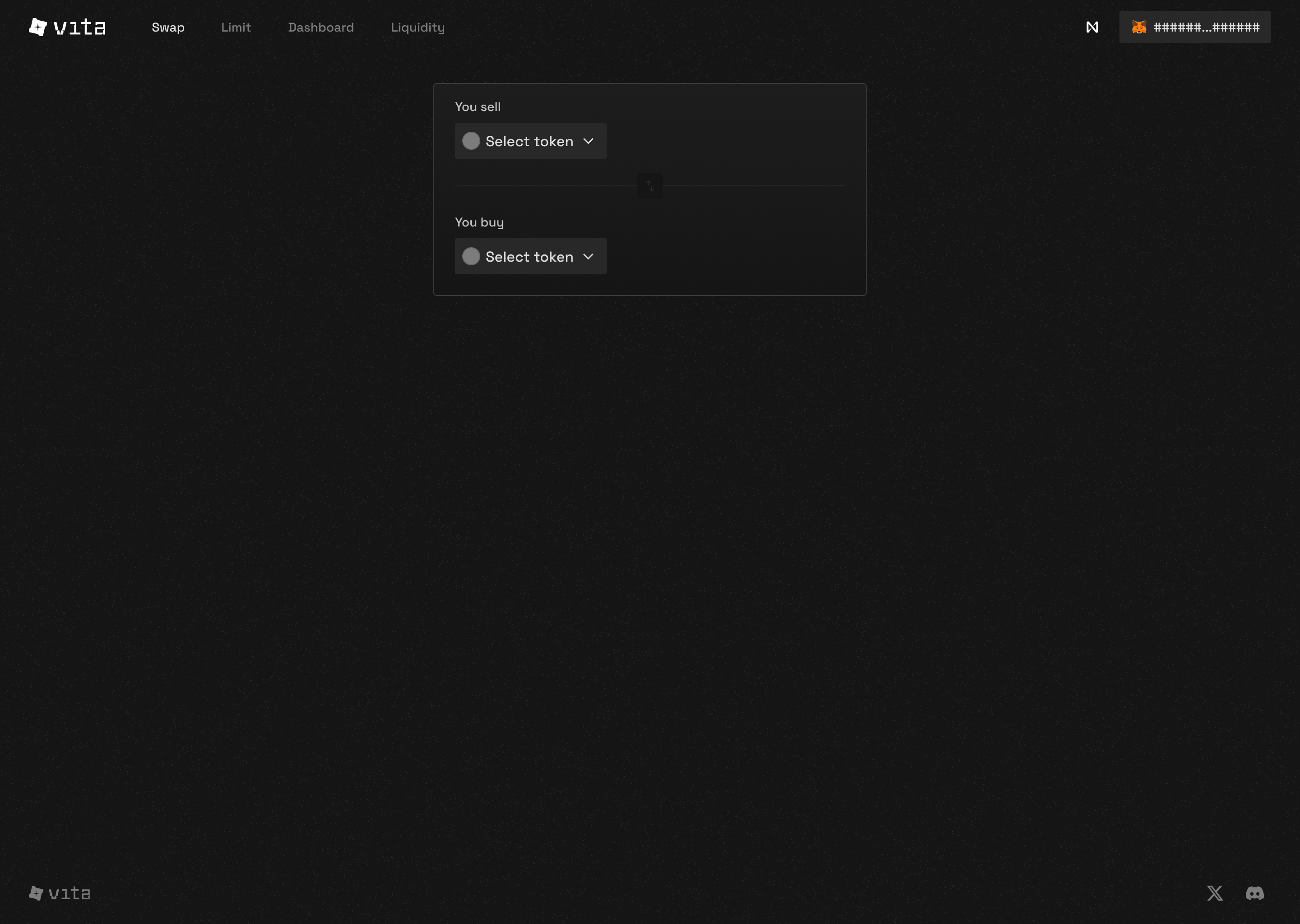 * **You sell:** The token you're trading away
* **You buy:** The token you want to receive
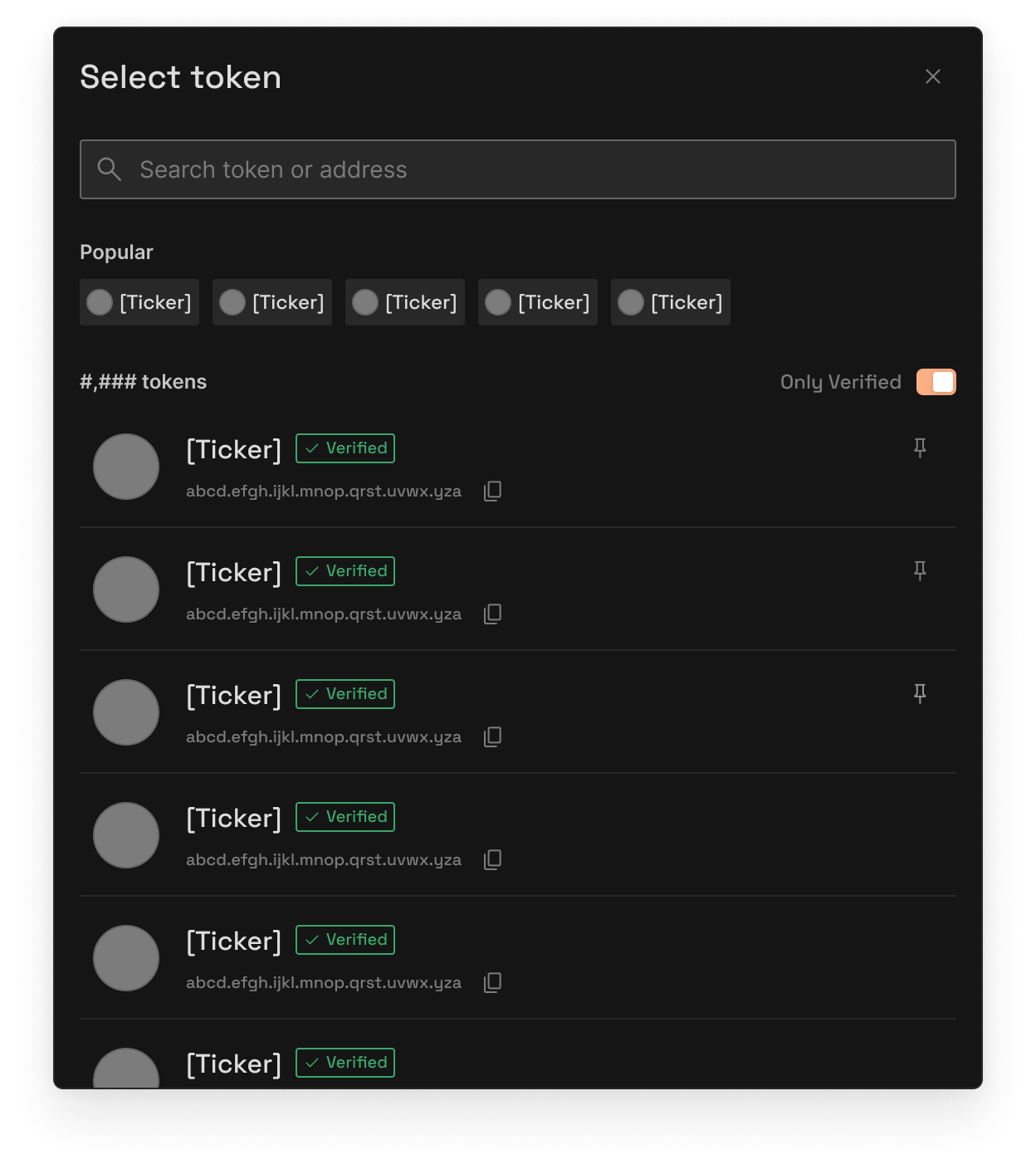
* Click on either token to open the selection modal
* **You sell:** The token you're trading away
* **You buy:** The token you want to receive
* Click on either token to open the selection modal
 Remember: VITA and xVITA use 18 decimals, while NEAR uses 24 decimals
Type the amount you want to swap
Remember: VITA and xVITA use 18 decimals, while NEAR uses 24 decimals
Type the amount you want to swap
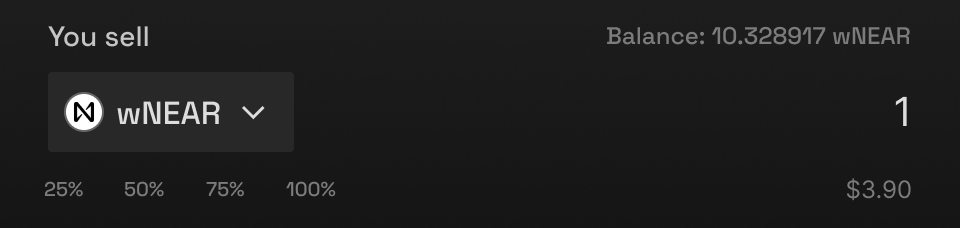 * Enter amount in either field
* The other field auto-calculates based on current price
* Use **MAX** button to swap your entire balance
Check the details and confirm your swap
* Enter amount in either field
* The other field auto-calculates based on current price
* Use **MAX** button to swap your entire balance
Check the details and confirm your swap
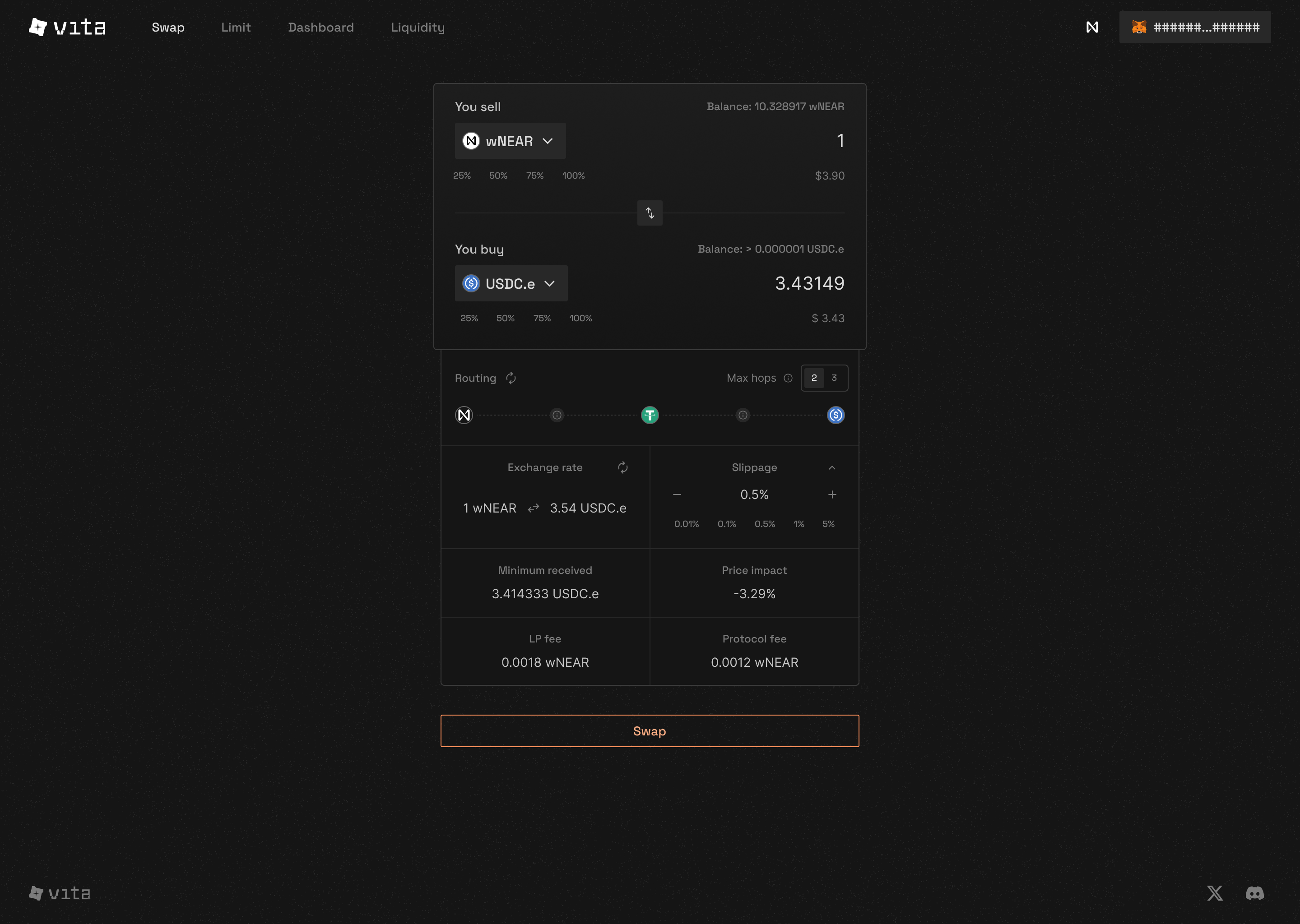 Review these details:
* **Exchange rate:** Current price between tokens
* **Price impact:** How much your trade affects the price
* **Minimum received:** Guaranteed amount after slippage
* **Route:** Path your swap will take through AMM pools
* **Fee:** Default 0.3% trading fee
Review these details:
* **Exchange rate:** Current price between tokens
* **Price impact:** How much your trade affects the price
* **Minimum received:** Guaranteed amount after slippage
* **Route:** Path your swap will take through AMM pools
* **Fee:** Default 0.3% trading fee
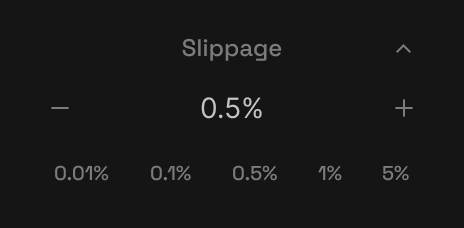 ### Special Case: Wrapped NEAR
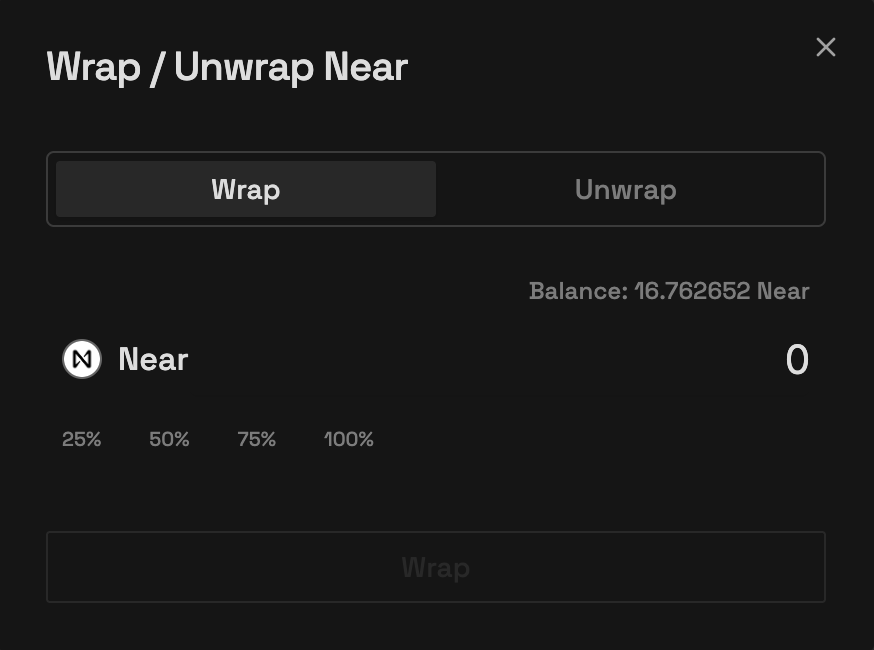 For swapping with NEAR, you'll need to wrap/unwrap it:
* **Wrap:** Convert NEAR to wNEAR for trading
* **Unwrap:** Convert wNEAR back to NEAR
## Mobile Trading Experience
For swapping with NEAR, you'll need to wrap/unwrap it:
* **Wrap:** Convert NEAR to wNEAR for trading
* **Unwrap:** Convert wNEAR back to NEAR
## Mobile Trading Experience
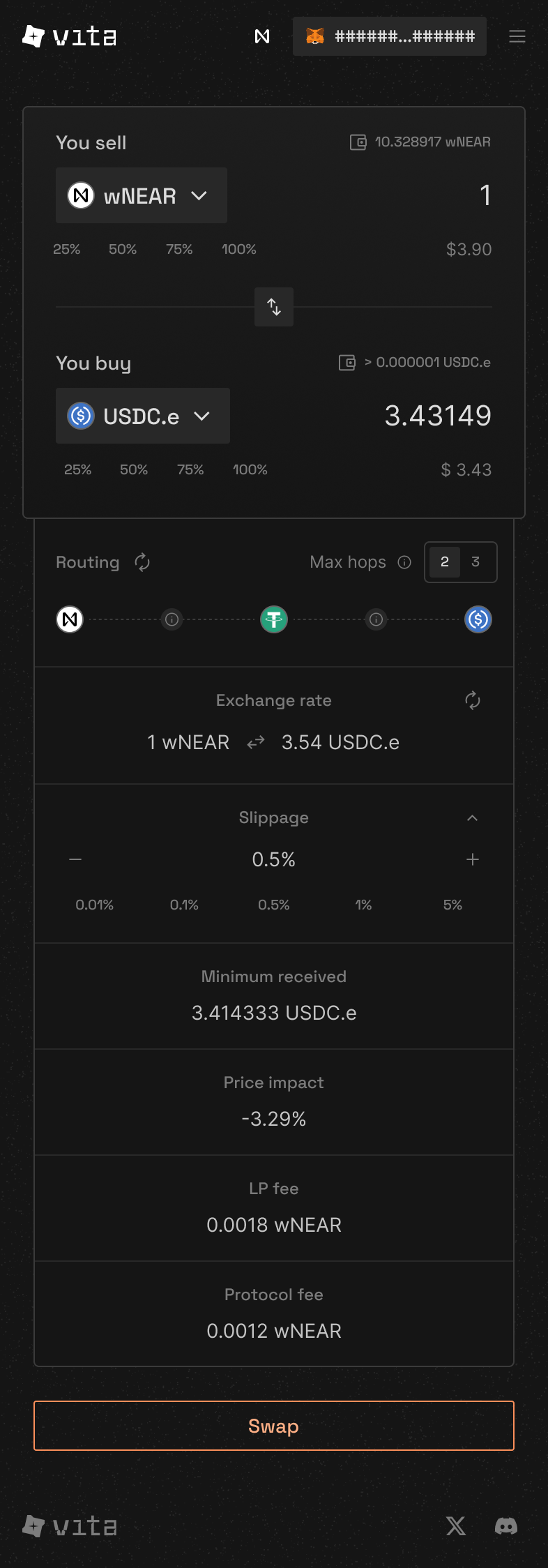 Our mobile interface provides the same powerful features in a touch-friendly design.
## Understanding the Interface
1. **Token Pair Selector:** Choose your trading pair
2. **Amount Fields:** Enter how much to swap
3. **Swap Direction:** Click to reverse the trade
4. **Price Info:** See current rates and impact
5. **Settings:** Adjust slippage tolerance
6. **Action Button:** Execute your swap
### Advanced Settings
#### Slippage Tolerance
* **0.1%:** For stable pairs (USDC/USDT)
* **0.5%:** Default for most swaps
* **1-3%:** For volatile tokens
* **Custom:** Set your own tolerance
## Common Swap Scenarios
The most common swap on our platform:
### AMM Swap Steps
1. Select **NEAR** as "You sell"
2. Select **VITA** as "You buy"
3. Enter your NEAR amount (24 decimals)
4. Click **Swap**
Make sure to keep some NEAR for gas fees (usually 0.1-0.5 NEAR is enough)
For stable-to-stable swaps:
### AMM Benefits:
* Use lower slippage (0.1%)
* Larger amounts have minimal price impact
* Best rates due to concentrated liquidity
Popular pairs: USDC ↔ USDT, USDC ↔ DAI
Convert VITA to xVITA for staking:
```bash theme={null}
# Use ft_transfer_call with convert message
near call [TBD] ft_transfer_call \
'{"receiver_id": "[TBD]", "amount": "1000000000000000000", "msg": "{\"convert\": {}}"}' \
--accountId your-wallet.near \
--amount 0.000000000000000000000001
```
VITA and xVITA both use 18 decimals
## Price Impact Explained
### What is Price Impact?
Price impact shows how much your trade affects the market price:
**\< 0.5%**
Great for trading
**0.5% - 3%**
Consider smaller trades
**> 3%**
Split into multiple trades
## Tips for Better Trading
Check pool depth before large trades to minimize price impact.
Trade during high activity periods for better prices.
NEAR gas is cheap, but timing still matters for large trades.
Quick access to your most traded tokens saves time.
## Troubleshooting
Common causes and solutions:
### Insufficient Balance
* Check you have enough tokens to swap
* Reserve some NEAR for gas fees
* Remember decimal differences (VITA: 18, NEAR: 24)
### Slippage Too Low
* Increase slippage tolerance in settings
* Try 1-3% for volatile tokens
### Price Moved
* Refresh the quote
* Use a higher slippage tolerance
If your token doesn't appear:
1. Use the search bar in token selector
2. Enter the token contract address
3. Verify it's the correct token
4. Add to your favorites for quick access
To minimize gas costs:
* Swap during low network activity
* Use direct routes when possible
* Batch multiple trades together
## Related Features
**Provide Liquidity**
Earn fees from every trade in your chosen AMM pools
**Stake for xVITA**
Earn protocol revenue and governance rights
***
**Need help?** Join our [Discord community](https://discord.gg/vitafinance) or check the [troubleshooting section](#troubleshooting) above.
Our mobile interface provides the same powerful features in a touch-friendly design.
## Understanding the Interface
1. **Token Pair Selector:** Choose your trading pair
2. **Amount Fields:** Enter how much to swap
3. **Swap Direction:** Click to reverse the trade
4. **Price Info:** See current rates and impact
5. **Settings:** Adjust slippage tolerance
6. **Action Button:** Execute your swap
### Advanced Settings
#### Slippage Tolerance
* **0.1%:** For stable pairs (USDC/USDT)
* **0.5%:** Default for most swaps
* **1-3%:** For volatile tokens
* **Custom:** Set your own tolerance
## Common Swap Scenarios
The most common swap on our platform:
### AMM Swap Steps
1. Select **NEAR** as "You sell"
2. Select **VITA** as "You buy"
3. Enter your NEAR amount (24 decimals)
4. Click **Swap**
Make sure to keep some NEAR for gas fees (usually 0.1-0.5 NEAR is enough)
For stable-to-stable swaps:
### AMM Benefits:
* Use lower slippage (0.1%)
* Larger amounts have minimal price impact
* Best rates due to concentrated liquidity
Popular pairs: USDC ↔ USDT, USDC ↔ DAI
Convert VITA to xVITA for staking:
```bash theme={null}
# Use ft_transfer_call with convert message
near call [TBD] ft_transfer_call \
'{"receiver_id": "[TBD]", "amount": "1000000000000000000", "msg": "{\"convert\": {}}"}' \
--accountId your-wallet.near \
--amount 0.000000000000000000000001
```
VITA and xVITA both use 18 decimals
## Price Impact Explained
### What is Price Impact?
Price impact shows how much your trade affects the market price:
**\< 0.5%**
Great for trading
**0.5% - 3%**
Consider smaller trades
**> 3%**
Split into multiple trades
## Tips for Better Trading
Check pool depth before large trades to minimize price impact.
Trade during high activity periods for better prices.
NEAR gas is cheap, but timing still matters for large trades.
Quick access to your most traded tokens saves time.
## Troubleshooting
Common causes and solutions:
### Insufficient Balance
* Check you have enough tokens to swap
* Reserve some NEAR for gas fees
* Remember decimal differences (VITA: 18, NEAR: 24)
### Slippage Too Low
* Increase slippage tolerance in settings
* Try 1-3% for volatile tokens
### Price Moved
* Refresh the quote
* Use a higher slippage tolerance
If your token doesn't appear:
1. Use the search bar in token selector
2. Enter the token contract address
3. Verify it's the correct token
4. Add to your favorites for quick access
To minimize gas costs:
* Swap during low network activity
* Use direct routes when possible
* Batch multiple trades together
## Related Features
**Provide Liquidity**
Earn fees from every trade in your chosen AMM pools
**Stake for xVITA**
Earn protocol revenue and governance rights
***
**Need help?** Join our [Discord community](https://discord.gg/vitafinance) or check the [troubleshooting section](#troubleshooting) above.