

Start Swapping in Seconds
Vita offers instant AMM swaps with concentrated liquidity for optimal pricing and minimal slippage.Vita uses an Automated Market Maker (AMM) with concentrated liquidity pools for instant token swaps.
Step-by-Step Guide: AMM Swaps
1
Connect Your Wallet
Click the Connect Wallet button in the top right cornerChoose from 23 supported wallets:
Visit app.vita.finance and look for the Connect Wallet button in the top right corner.
- NEAR Wallet
- Meteor Wallet
- Sender Wallet
- MetaMask (via Aurora)
- Ledger
- And 18 more…
2
Select Your Tokens
Choose the tokens you want to swap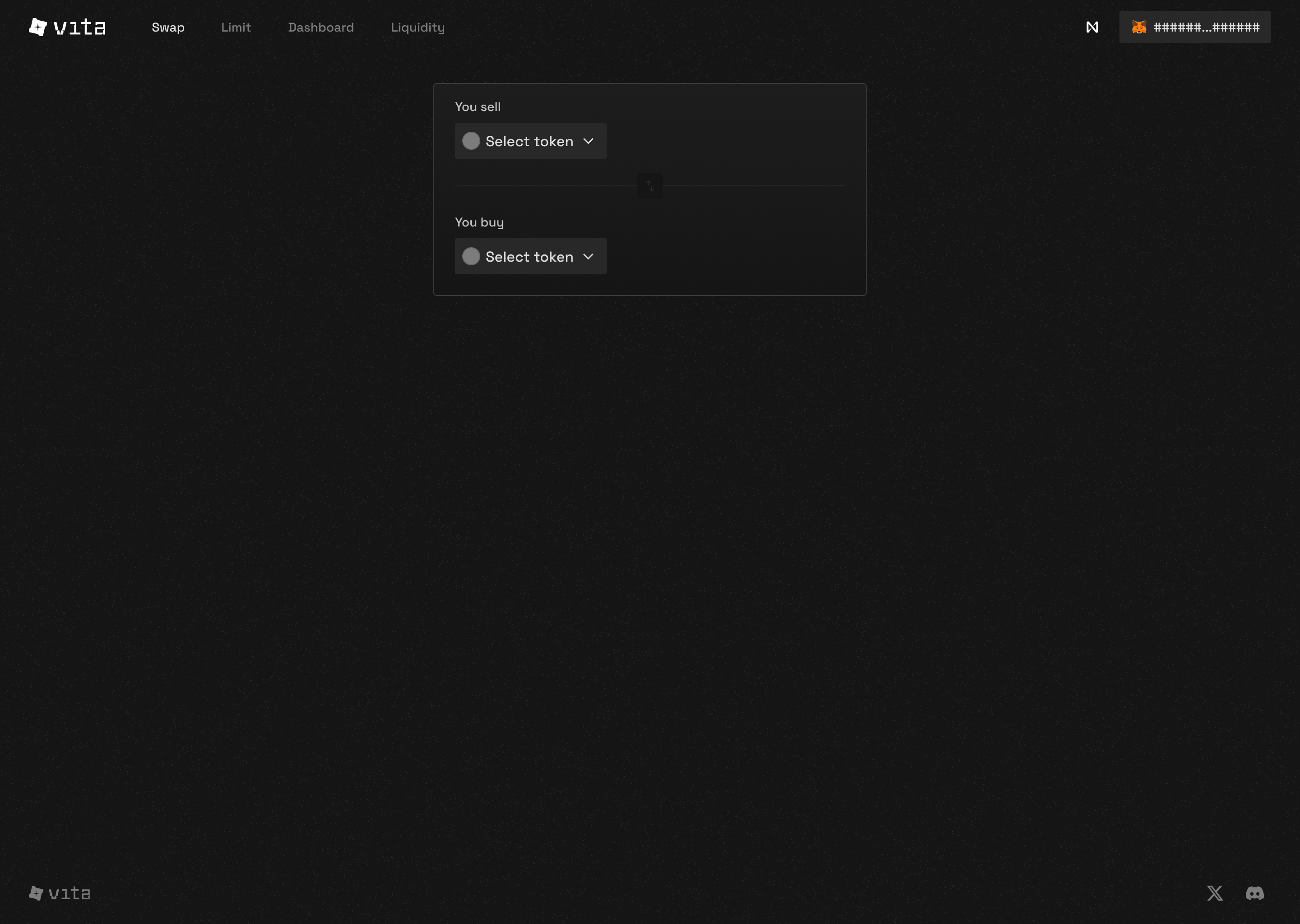
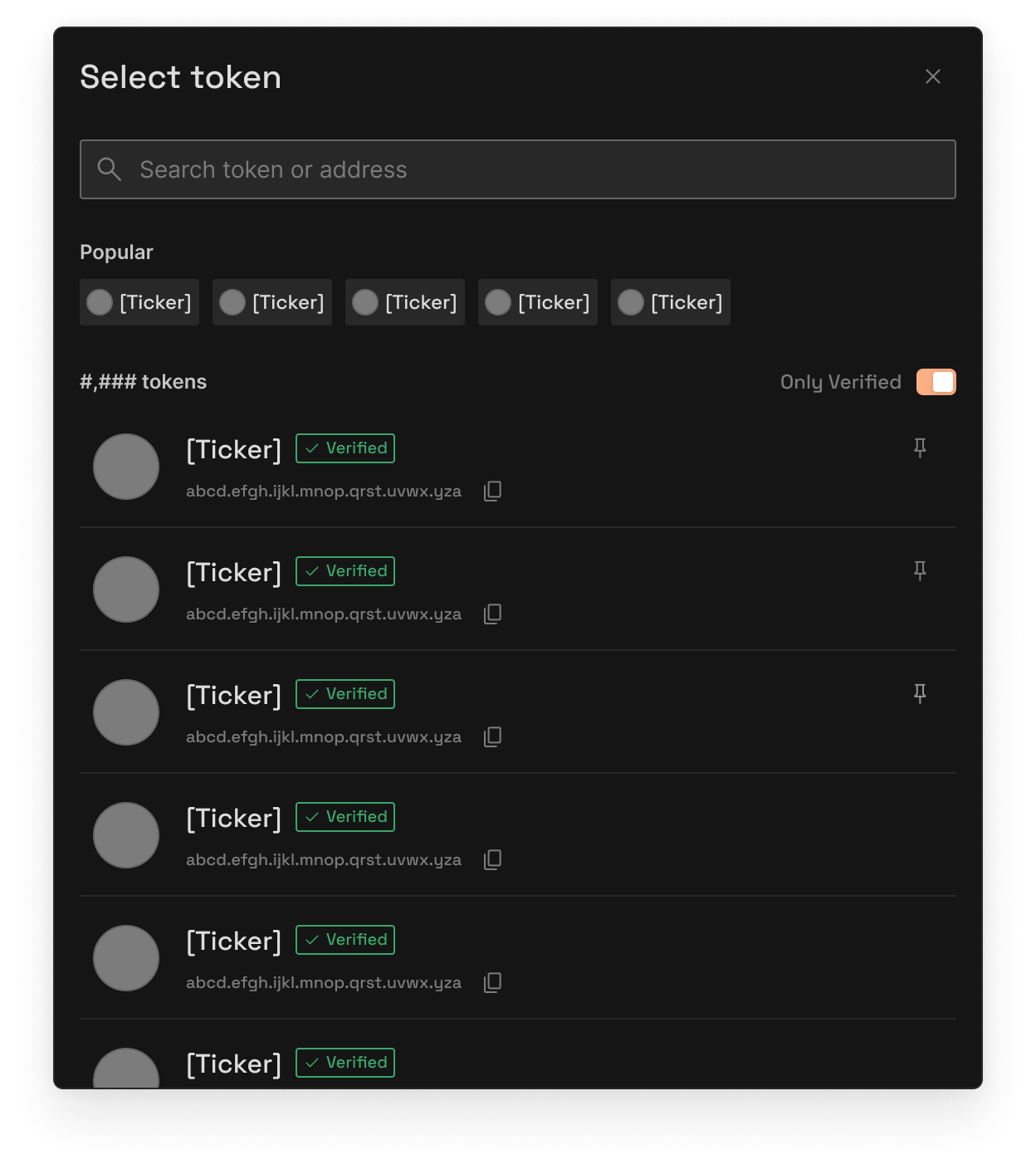
- You sell: The token you’re trading away
- You buy: The token you want to receive
- Click on either token to open the selection modal
Remember: VITA and xVITA use 18 decimals, while NEAR uses 24 decimals
3
Enter Amount
Type the amount you want to swap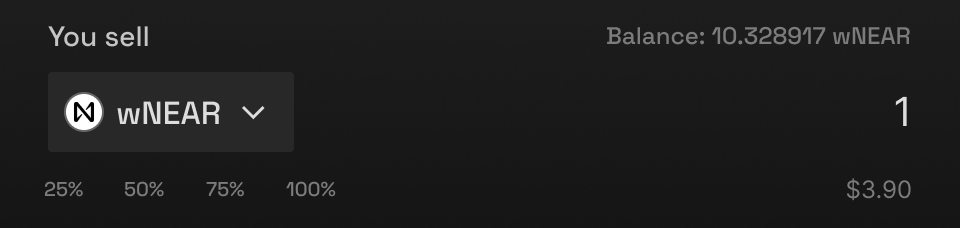
- Enter amount in either field
- The other field auto-calculates based on current price
- Use MAX button to swap your entire balance
4
Review & Swap
Check the details and confirm your swap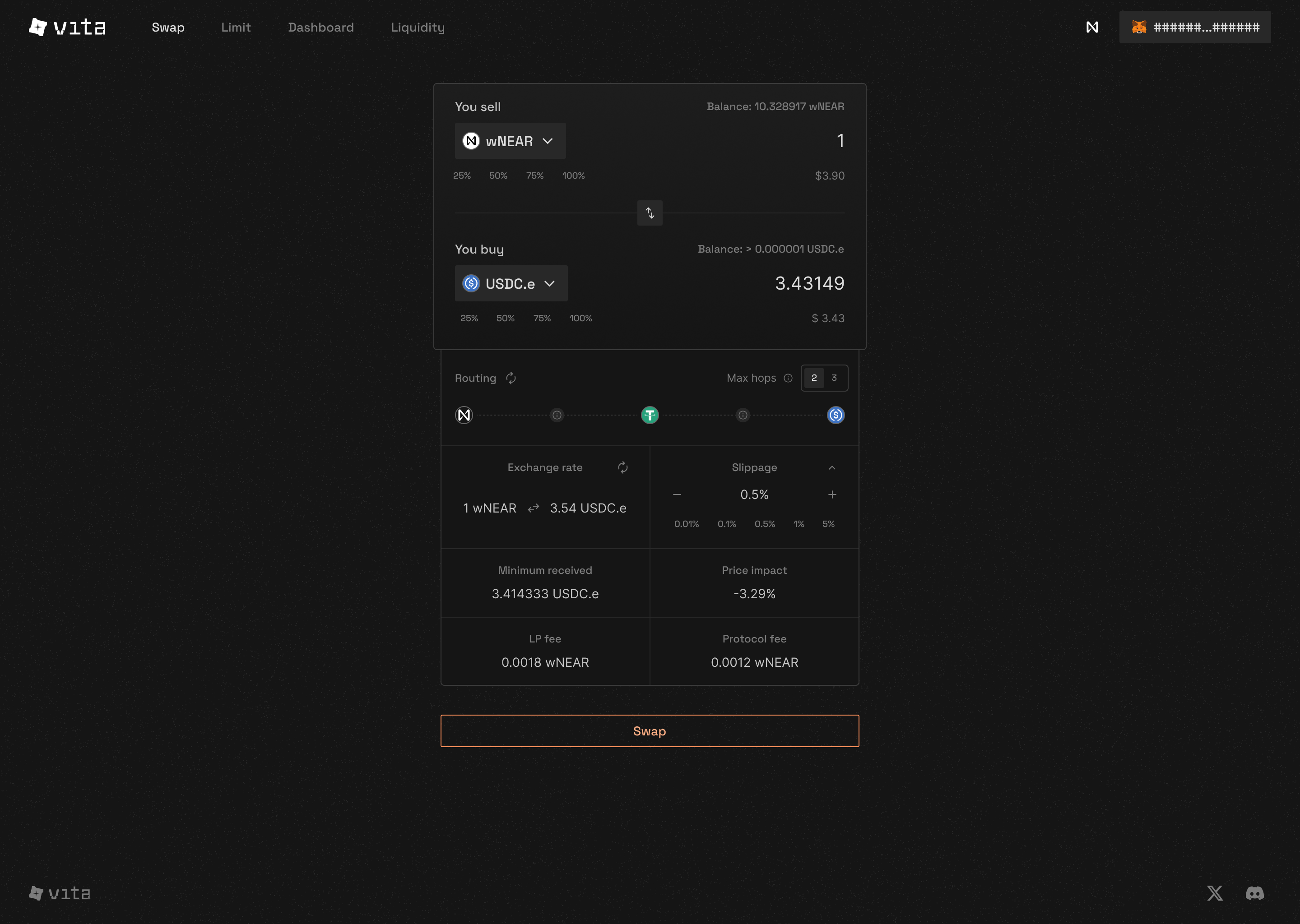
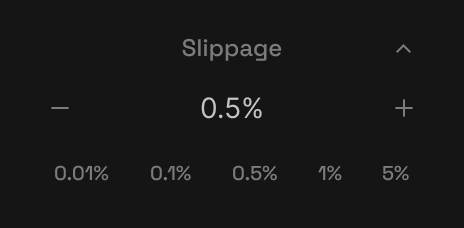
- Exchange rate: Current price between tokens
- Price impact: How much your trade affects the price
- Minimum received: Guaranteed amount after slippage
- Route: Path your swap will take through AMM pools
- Fee: Default 0.3% trading fee
Special Case: Wrapped NEAR
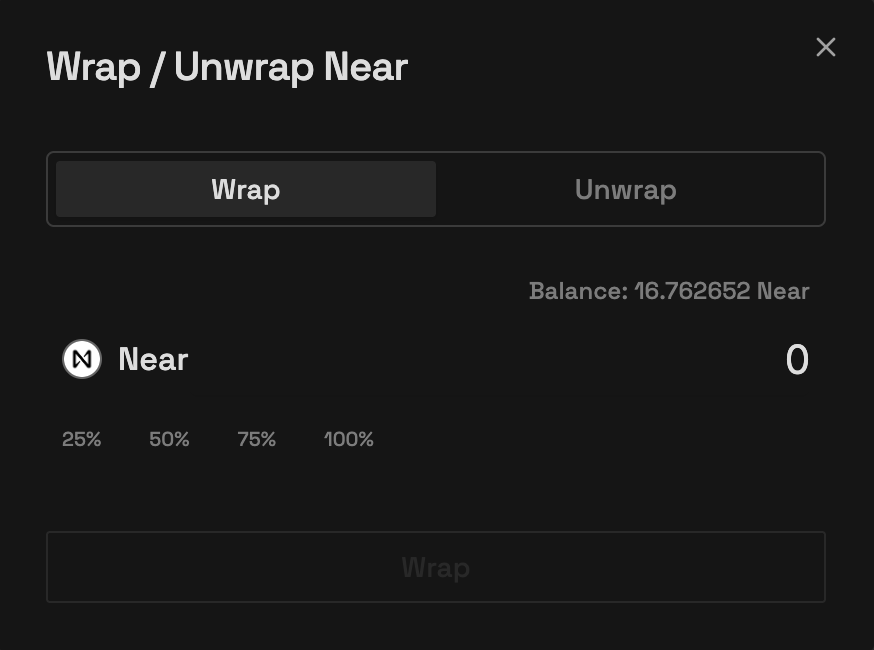
Convert between NEAR and wNEAR for trading
- Wrap: Convert NEAR to wNEAR for trading
- Unwrap: Convert wNEAR back to NEAR
Mobile Trading Experience
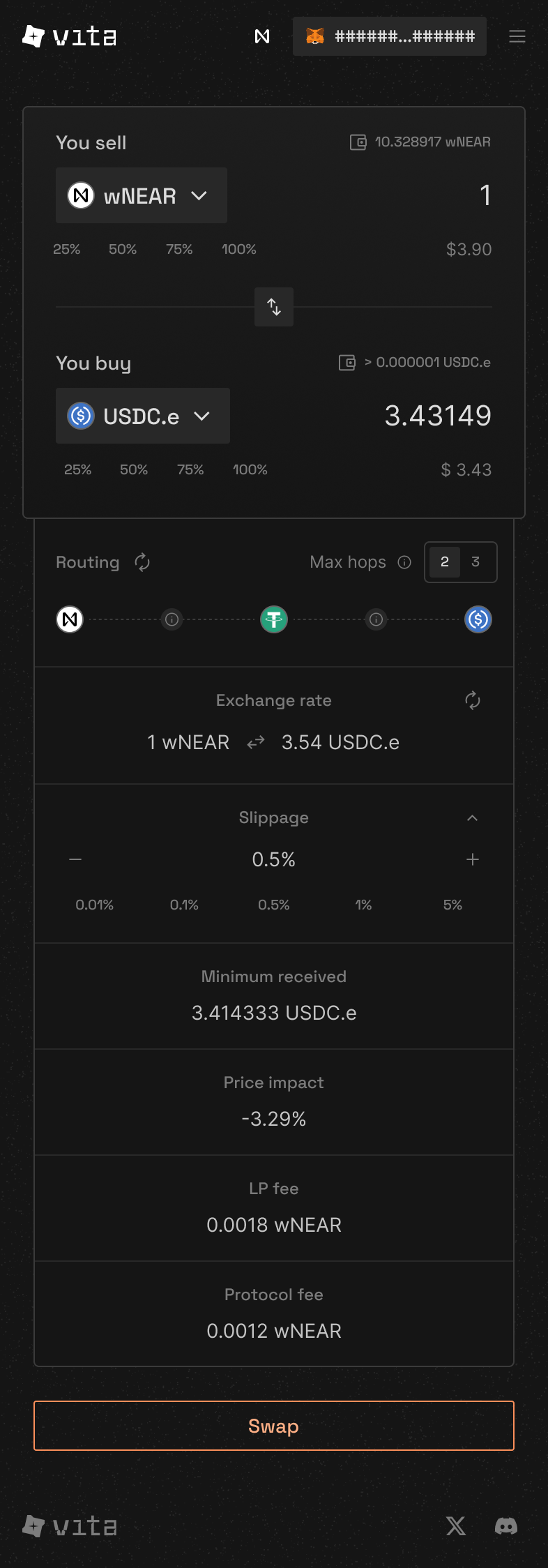
Full-featured mobile interface for trading on the go
Understanding the Interface
- Token Pair Selector: Choose your trading pair
- Amount Fields: Enter how much to swap
- Swap Direction: Click to reverse the trade
- Price Info: See current rates and impact
- Settings: Adjust slippage tolerance
- Action Button: Execute your swap
Advanced Settings
Slippage Tolerance
- 0.1%: For stable pairs (USDC/USDT)
- 0.5%: Default for most swaps
- 1-3%: For volatile tokens
- Custom: Set your own tolerance
Common Swap Scenarios
Swapping NEAR for VITA
Swapping NEAR for VITA
The most common swap on our platform:
AMM Swap Steps
- Select NEAR as “You sell”
- Select VITA as “You buy”
- Enter your NEAR amount (24 decimals)
- Click Swap
Make sure to keep some NEAR for gas fees (usually 0.1-0.5 NEAR is enough)
Converting Stablecoins
Converting Stablecoins
For stable-to-stable swaps:
AMM Benefits:
- Use lower slippage (0.1%)
- Larger amounts have minimal price impact
- Best rates due to concentrated liquidity
Staking VITA to xVITA
Staking VITA to xVITA
Convert VITA to xVITA for staking:
VITA and xVITA both use 18 decimals
Price Impact Explained
What is Price Impact?
Price impact shows how much your trade affects the market price:Low Impact
< 0.5%Great for trading
Medium Impact
0.5% - 3%Consider smaller trades
High Impact
> 3%Split into multiple trades
Tips for Better Trading
Monitor Liquidity
Check pool depth before large trades to minimize price impact.
Time Your Trades
Trade during high activity periods for better prices.
Monitor Gas Prices
NEAR gas is cheap, but timing still matters for large trades.
Save Favorite Pairs
Quick access to your most traded tokens saves time.
Troubleshooting
Transaction Failed
Transaction Failed
Common causes and solutions:
Insufficient Balance
- Check you have enough tokens to swap
- Reserve some NEAR for gas fees
- Remember decimal differences (VITA: 18, NEAR: 24)
Slippage Too Low
- Increase slippage tolerance in settings
- Try 1-3% for volatile tokens
Price Moved
- Refresh the quote
- Use a higher slippage tolerance
Can't Find My Token
Can't Find My Token
If your token doesn’t appear:
- Use the search bar in token selector
- Enter the token contract address
- Verify it’s the correct token
- Add to your favorites for quick access
High Gas Fees
High Gas Fees
To minimize gas costs:
- Swap during low network activity
- Use direct routes when possible
- Batch multiple trades together
Related Features
Earn While You Hold
Provide LiquidityEarn fees from every trade in your chosen AMM pools
Maximize Your VITA
Stake for xVITAEarn protocol revenue and governance rights
Need help? Join our Discord community or check the troubleshooting section above.