

Matching Principles
Vita CLOB uses a price-time priority matching algorithm, the industry standard for fair and transparent order execution.Price Priority
Best prices always execute first
Time Priority
Earlier orders at same price have priority
How Matching Works
Price-Time Priority Algorithm
1
Price Sorting
Orders are sorted by price:
- Buy orders: Highest price first (descending)
- Sell orders: Lowest price first (ascending)
2
Time Ordering
Within the same price level:
- Orders maintain FIFO (First In, First Out)
- Earlier orders execute before later ones
3
Matching Process
When prices overlap:
- Best buy meets best sell
- Orders match until no overlap remains
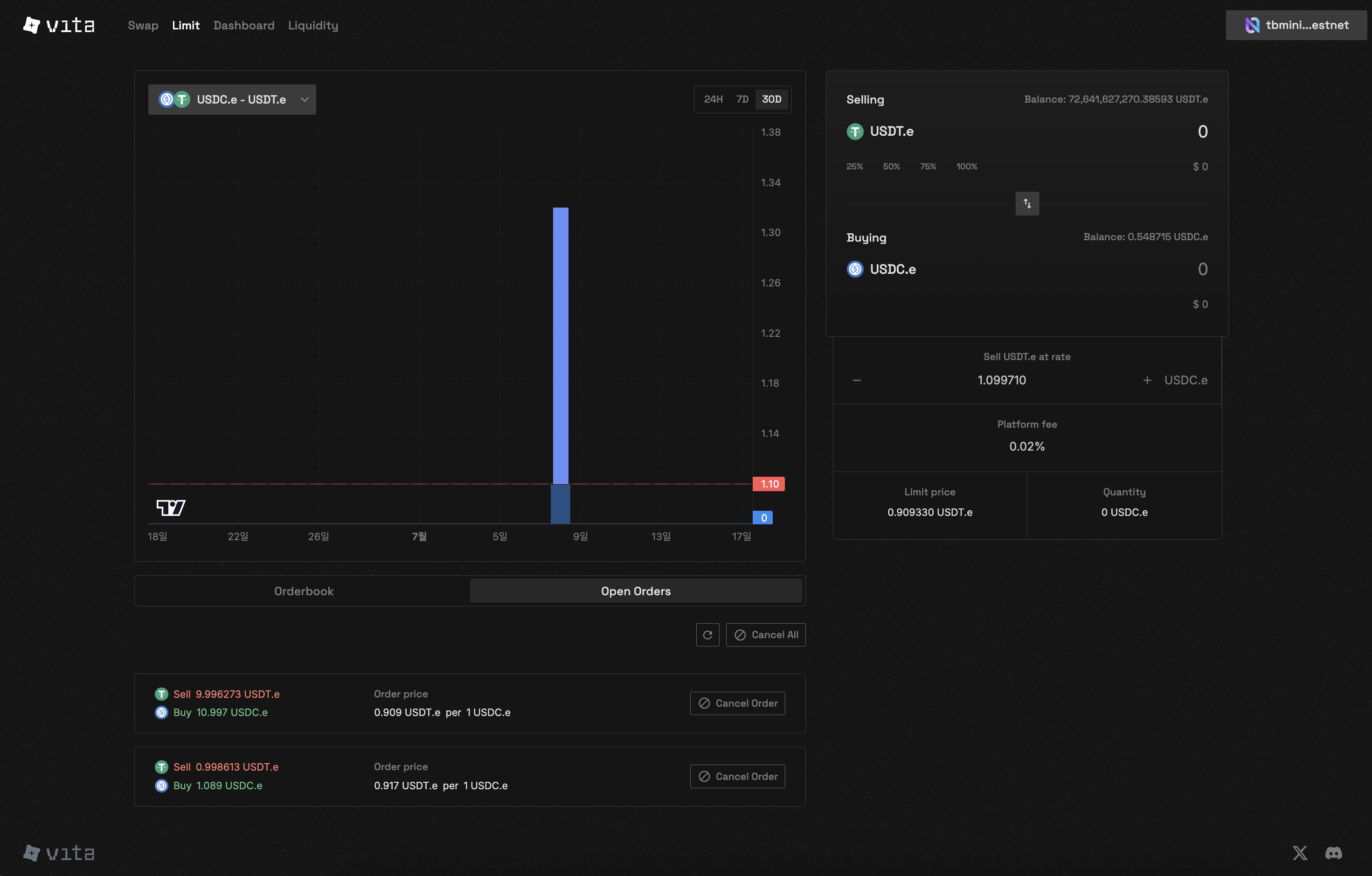
Order matching visualization showing price-time priority

CLOB trading interface showing order placement and execution
Order Execution Scenarios
Market Order Execution
- Buy Market Order
- Sell Market Order
A market buy order for 100 NEAR would:
- Match with 75 NEAR at 5.05 USDC
- Match with 25 NEAR at 5.10 USDC
- Average execution price: ~5.06 USDC
Limit Order Execution
Crossing the Spread
When a limit order “crosses the spread” (buy above best ask or sell below best bid):
- Executes immediately like a market order
- But only up to the limit price
- Remaining quantity joins the order book
Technical Implementation
Order Book Structure
Matching Constraints
Match Limit
Maximum 50 matches per order execution
- Prevents excessive gas usage
- Ensures fair processing
Self-Trade Prevention
Users cannot trade with their own orders
- Maintains market integrity
- Prevents wash trading
Partial Fills
Orders may be partially filled when:Insufficient Liquidity
Insufficient Liquidity
Not enough counter-orders at your price:
- Filled portion is executed
- Remainder stays in order book
- Order remains active until fully filled or cancelled
Match Limit Reached
Match Limit Reached
Order matches with 50 counter-orders:
- Execution pauses after 50 matches
- Remaining quantity stays active
- May fill in subsequent transactions
Price Movement
Price Movement
Market moves away from limit price:
- Partial fill at original price
- Rest waits for market to return
- No slippage on filled portion
Order Priority Examples
Scenario 1: Same Price, Different Times
Scenario 2: Price Improvement
Best Practices for Order Placement
For Quick Execution
- Use market orders
- Place limit orders that cross the spread
- Accept some price impact
For Better Prices
- Use limit orders
- Place orders away from market
- Be patient for execution
For Large Orders
- Split into smaller chunks
- Use iceberg orders (if available)
- Monitor market depth
For Volatility
- Widen your price range
- Use shorter time horizons
- Adjust orders frequently
Advanced Concepts
Order Book Imbalance
When one side of the order book is significantly larger:
- Indicates market sentiment
- May predict price movement
- Opportunity for market makers
Hidden Liquidity
Some liquidity may not be visible:- Orders beyond display depth
- Upcoming market orders
- Smart order routing
Performance Metrics
Matching Engine Specifications
- Latency: Near Protocol block time (~1 second)
- Throughput: Up to 50 matches per transaction
- Fairness: Strict price-time priority
- Transparency: All matches recorded on-chain
Troubleshooting
Why didn't my order execute?
Why didn't my order execute?
Common reasons:
- Price hasn’t reached your limit
- Orders ahead of yours in queue
- Insufficient liquidity
- Market moved away
Why was my order partially filled?
Why was my order partially filled?
Possible causes:
- Limited liquidity at your price
- Match limit reached (50)
- Counter-party orders filled by others
Why did I get a better price than expected?
Why did I get a better price than expected?
Price improvement occurs when:
- Your limit crosses the spread
- Market moves in your favor
- Always receive limit price or better
Next Steps
Place Orders
Apply your knowledge to trading
Manage Orders
Track your order execution