

Order Types
Limit & Market Orders
Price-Time Priority
Fair Order Matching
Gas Efficiency
Optimized for Near
What is a Central Limit Order Book?
A Central Limit Order Book (CLOB) is a trading mechanism where buy and sell orders are collected and matched based on price and time priority. Unlike automated market makers, CLOB allows traders to specify exact prices for their trades.
Complete CLOB trading interface with order book, chart, and order placement
Order Book Interface
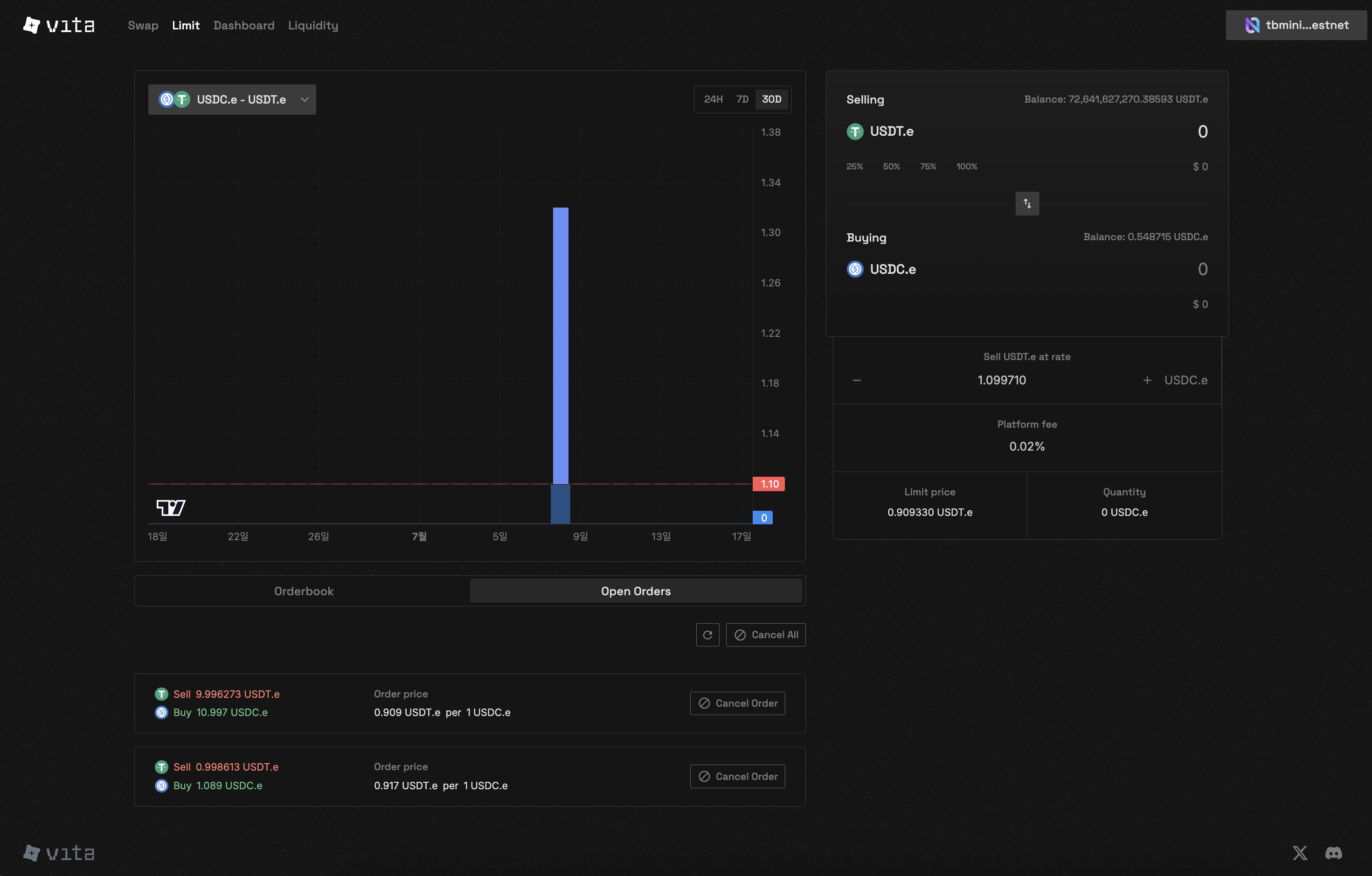
Real-time order book showing live bid and ask orders with market depth
Key Features
- Limit Orders
- Market Orders
Set your exact buy or sell price. Orders execute only when market reaches your specified price.Benefits:
- No price slippage
- Better price control
- Maker fees (if applicable)
Order Book Structure
Real-time order book showing bid and ask prices
- Bid Orders: Buy orders sorted by highest price first
- Ask Orders: Sell orders sorted by lowest price first
- Order Depth: Quantity available at each price level
- Spread: Difference between best bid and best ask
Interactive Order Book
How CLOB Works
1
Place Your Order
Choose between limit or market order, specify price (for limit orders) and quantity
2
Order Matching
The matching engine processes orders based on price-time priority:
- Best price gets matched first
- Earlier orders at same price have priority
- Maximum 50 matches per order
3
Settlement
Matched orders are settled instantly on Near Protocol
- Tokens transferred automatically
- Fees deducted from trade
Markets and Trading Pairs
Vita CLOB supports dynamic market creation with any token pair. Each market is identified by:- Base token (the asset being traded)
- Quote token (the currency used for pricing)
- Unique market ID
Market creation requires a deposit of 7 milliNEAR. Markets can be created with any combination of tokens. Available trading pairs will be announced at launch.
Fee Structure
Trading fees are set per market when created:- Fee calculation:
(amount * 10000) / (10000 + fee_rate) - Fees are deducted from the quote token for buy orders
- Each market can have different fee rates set by the market creator
- View specific market fees:
near view [TBD] get_market '{"market_id": "1"}'
Technical Specifications
Order Limits
string
1 lot (actual amount depends on market’s lot_decimals configuration)
number
50
string
Determined by lot decimal configuration
Contract Information
string
Near Protocol
string
Rust
string
near-sdk 5.7.0
string
[TBD]
string
[TBD]
Query Current Values
Advantages of CLOB
Price Discovery
Transparent price formation through visible supply and demand
No Slippage
Limit orders execute at exact specified prices
Professional Trading
Advanced order types and trading strategies
Fair Execution
Price-time priority ensures fairness
Getting Started
1
Connect Wallet
Connect your Near-compatible wallet to access CLOB
2
Select Market
Choose your trading pair from available markets
3
Place Order
Submit limit or market orders based on your strategy
4
Manage Positions
Track and manage your open orders
CLOB vs AMM Comparison
Security Features
On-Chain Settlement
All trades settle directly on Near Protocol
Self-Trade Prevention
Cannot trade with your own orders
Gas Optimization
Efficient matching with gas limits
Transparent Matching
All matches recorded on-chain
Next Steps
Order Types
Learn about limit and market orders in detail
Place Orders
Step-by-step guide to placing your first order
Order Matching
Understand how orders are matched
Manage Orders
Track and manage your orders